
Any YouTube video, turned into a lesson.
Free to download. iPhone, iPad, Mac and Android.
YouTube has more real speech in the language you learn than any course: vlogs, interviews, cartoons, lectures, comedy. What it lacks is help. PlayLingo opens any YouTube video with the original line and the translation under it, lets you replay, slow down and practice every sentence, and has Lingo explain whatever you still don’t get.
How it works
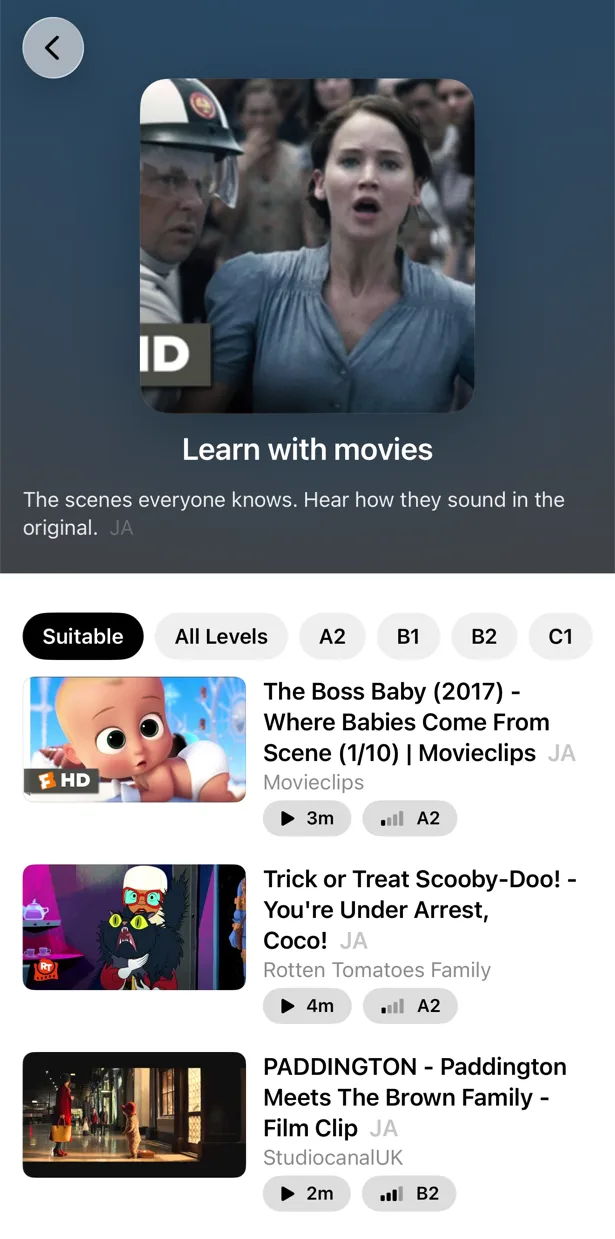
- 1Find a video. Pick from the catalog of your language, sorted by level with a “Start here” shelf, or paste a link, share from the YouTube app or search inside PlayLingo.
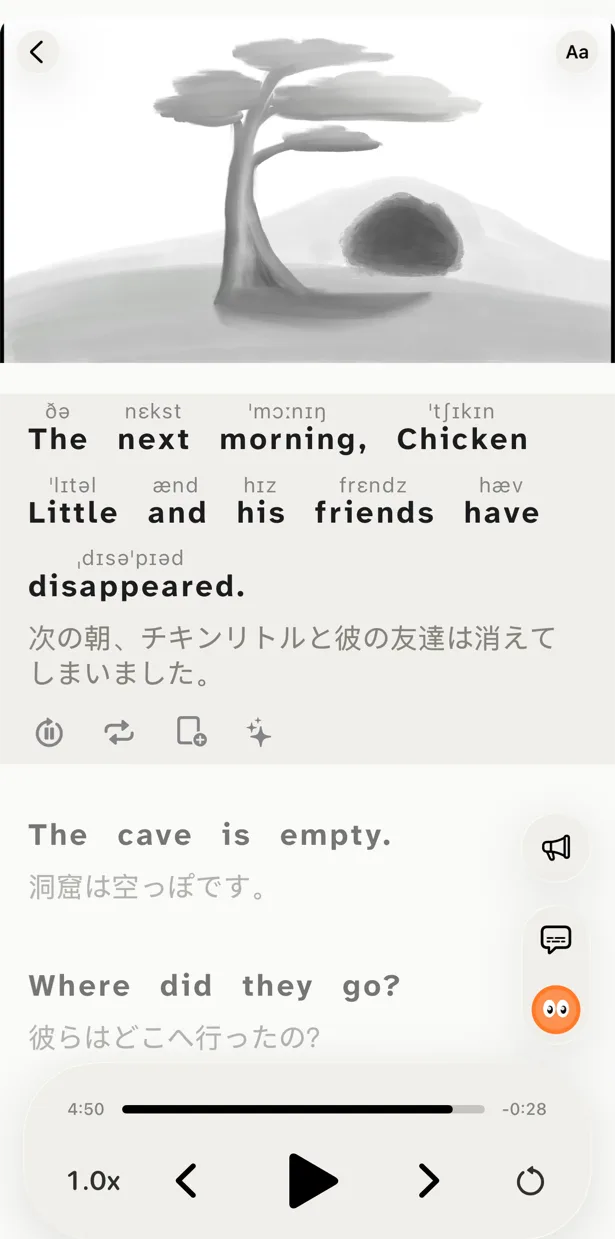
- 2Watch with two lines. The original line and its translation follow the video sentence by sentence. Replay a line, loop a phrase or slow the video down.
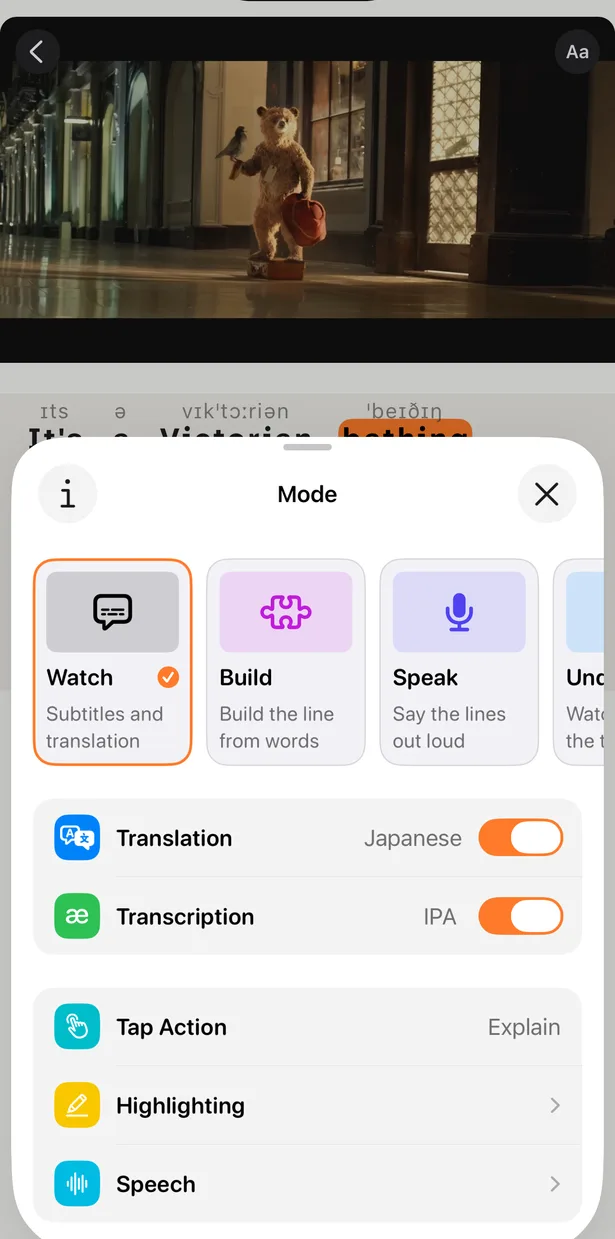
- 3Practice on the video. Hide the translation, hide the text, build each line from words or repeat it out loud — five modes on the same video.
- 4Save and review. Save words, phrases and sentences; they come back in spaced-repetition practice with the clip where you heard them.
What you get with every video
Any YouTube video
Paste a link, use the share sheet in the YouTube app or search inside PlayLingo. Subtitles are split into full sentences with punctuation.
A catalog for your level
Each of the 67 languages has its own catalog of videos sorted by CEFR level, with a “Start here” shelf for beginners.
Translation in context
Sentence by sentence, in your native language — not word by word.
Lingo explains
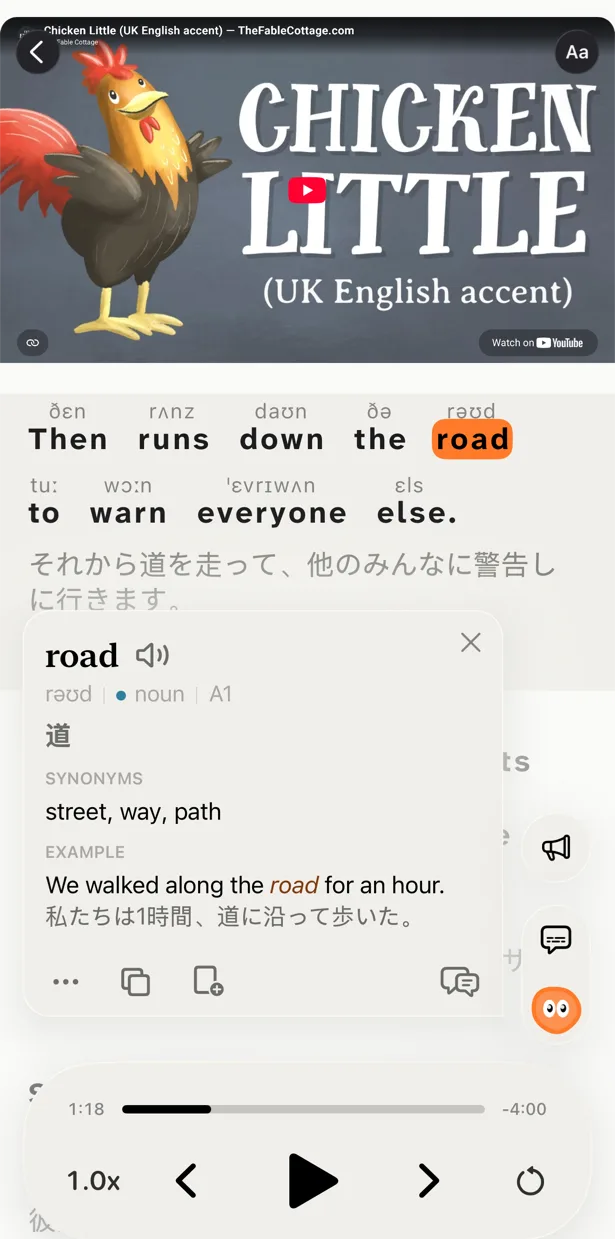
Slang, idioms, jokes and grammar, explained for this sentence. Ask a follow-up question.
Five ways to watch
Watch, Understand, Listen, Build and Speak — from enjoying the video to saying its lines yourself.
Words with their moment
Saved words return in spaced-repetition practice (FSRS-6) with the video clip where you heard them.
What to watch at your level
Pick videos you understand most of, with a few new words in every minute — the comprehensible input sweet spot. Not sure of your level? See the CEFR levels.
- A1–A2
- Videos made for learners and cartoons: slow speech, simple words and pictures that carry the meaning. Keep the translation on.
- B1–B2
- Vlogs, street interviews and movie scenes. Hide the translation and check yourself line by line.
- C1+
- Anything you would watch in your own language: comedy, documentaries, long interviews. Open the text only where you get lost.
YouTube in 67 languages
You can learn any of 67 languages in the app, each with its own catalog. These languages also have a page here with channels to start with:
Why two lines of subtitles work
The original line trains your ear and your reading, the translation keeps the meaning clear, and the support shrinks as you grow. More in bilingual subtitles.
FAQ
Is it free?+
Yes, with daily limits. Bilingual subtitles on any YouTube video, the catalog by level, AI explanations and a daily practice portion are free every day, with no ads. Pro removes the limits.
Can I learn with YouTube as a beginner?+
Yes, if you can read the alphabet of the language. Start with the “Start here” shelf: short, slow videos made for learners, with the translation on.
Does it work with Netflix or other sites?+
No. PlayLingo works with YouTube videos, podcast episodes, books and your own files. Videos from other sites can’t be opened yet.
Which languages can I learn?+
Any of 67 languages, each with its own catalog. The translation and Lingo’s explanations come in your native language.
Which devices does it work on?+
iPhone, iPad, Mac and Android. Saved words and progress sync between devices.
Can I use it on a computer?+
On a Mac, yes, with the app from the Mac App Store. In Chrome on any computer, the free PlayLingo extension adds two lines of subtitles to YouTube.
Your next video, understood.
Free to download. iPhone, iPad, Mac and Android.