
Learn a language with two lines of subtitles
Free to download. iPhone, iPad, Mac and Android.
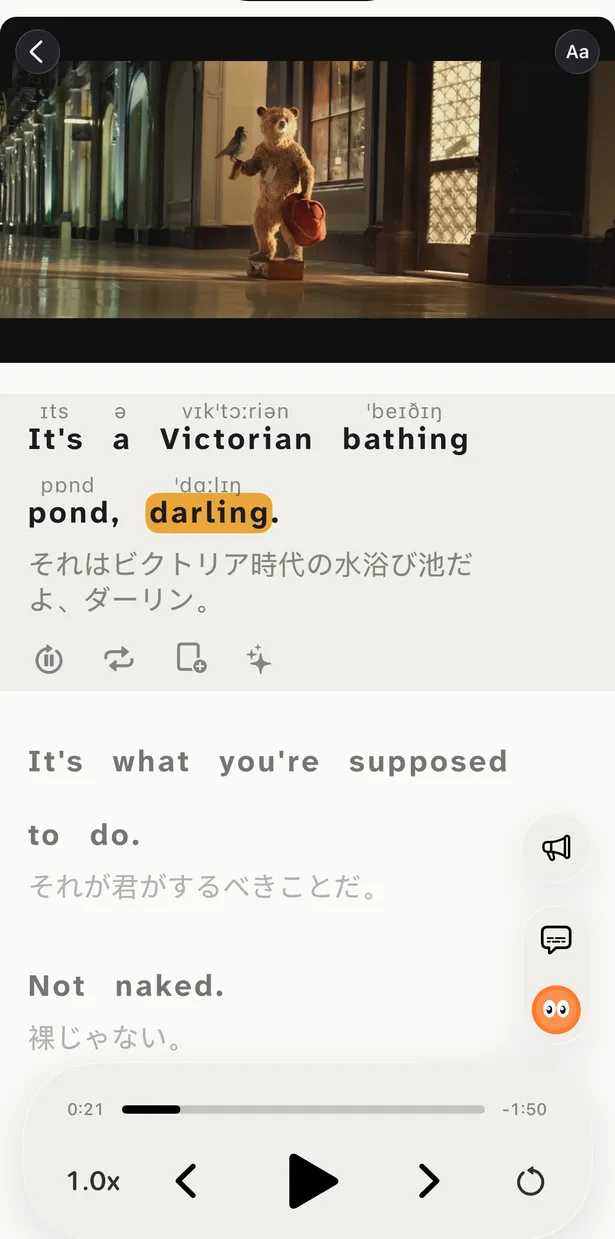
Bilingual subtitles show every line twice: what is said in the language you learn, and what it means in yours. It looks like a small change, but it turns a video that is too hard into one you can follow — and that is where learning from real speech begins.
What bilingual subtitles are
Ordinary subtitles give you one language: either the original or a translation. Bilingual, or dual, subtitles put both on screen at once — the original sentence on top and its translation right under it. You hear the line, read it as it is spoken and check the meaning at a glance, without pausing and without a dictionary.
It is a form of comprehensible input: you take in real language a little above your level, and the translation is the support that keeps it understandable. The goal is not to read the translation — it is to understand the original with its help.
Why it works
You can follow real speech
Native videos are fast and full of slang. With the meaning one glance away, you stay in the story instead of giving up after two minutes — and only what you understand teaches you anything.
Sound, spelling and meaning meet
You hear a phrase, see how it is written and know what it means in the same second. That is how a word you know on paper becomes a word you catch by ear.
Phrases, not word lists
You learn how people really say things: fillers, softeners, idioms, reactions. The scene, the tone and the translation pin down the meaning better than any flashcard.
The hours add up
You watch what you would watch anyway — a series, a vlogger, an interview. Learning stops competing with free time, so you simply do more of it.
You see how the language is built
Two lines side by side show word order, grammar and what one language says in three words where another needs seven. You notice patterns that a textbook table never shows.
Real speech stops scaring you
Every video you finish in the original is proof that you can handle native speech. “Too fast, too hard” gives way to “I got most of that”.
How it compares with other ways to learn
Bilingual subtitles are not magic. Every approach trains something — here is what you get and what you miss with each one.
Textbooks and drill apps
- What you get
- Structure, grammar rules and a first vocabulary.
- What you miss
- Real speed, accents and slang. Many learners finish the course and still can’t follow a conversation.
Subtitles in your language only
- What you get
- You follow the plot with no effort.
- What you miss
- You read your own language and the original turns into background noise. Very little sticks.
Subtitles in the language you learn only
- What you get
- The most input — the best choice once you are advanced.
- What you miss
- Below B2 you lose the thread at every unknown word, and most people give up after a few minutes.
No subtitles at all
- What you get
- Pure listening — the real test.
- What you miss
- Without enough vocabulary it is noise: you guess the meaning from the picture and learn almost nothing.
Bilingual subtitles
- What you get
- Real material from day one, with the meaning always one glance away. You hear, read and understand at the same time.
- Watch out for
- It turns into reading the translation if you let it. That is why the support should shrink as you grow — see below.
How to use them without leaning on the translation
The only real risk is simple: your eyes slide down to the translation and stay there. A few habits keep the original in the lead.
- 1Read the original first. Follow the top line while it is spoken and look down only when a phrase stops you.
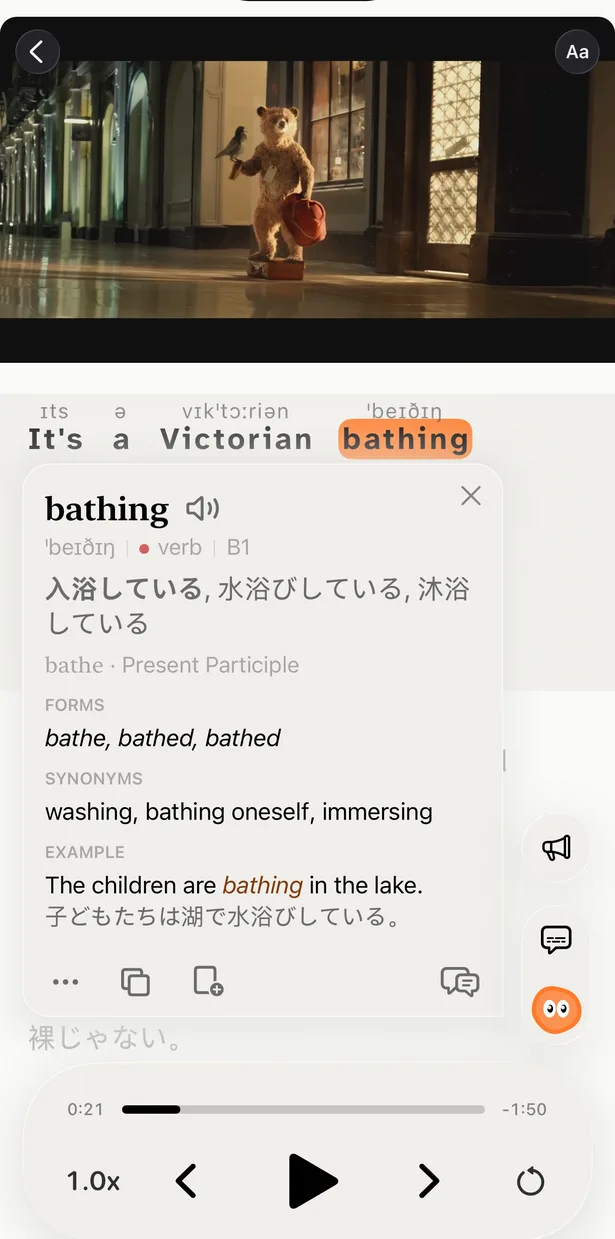
- 2Tap what you don’t get. A word or phrase opens its meaning in this sentence, its forms and an example. Save it, and it comes back for review with the moment from the video.
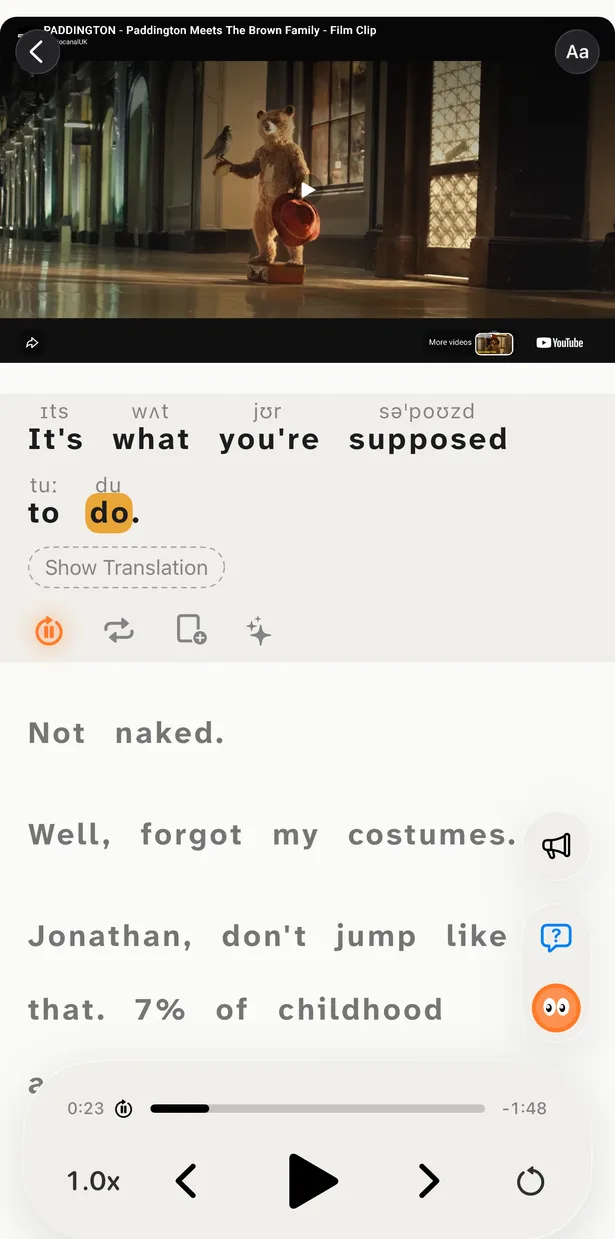
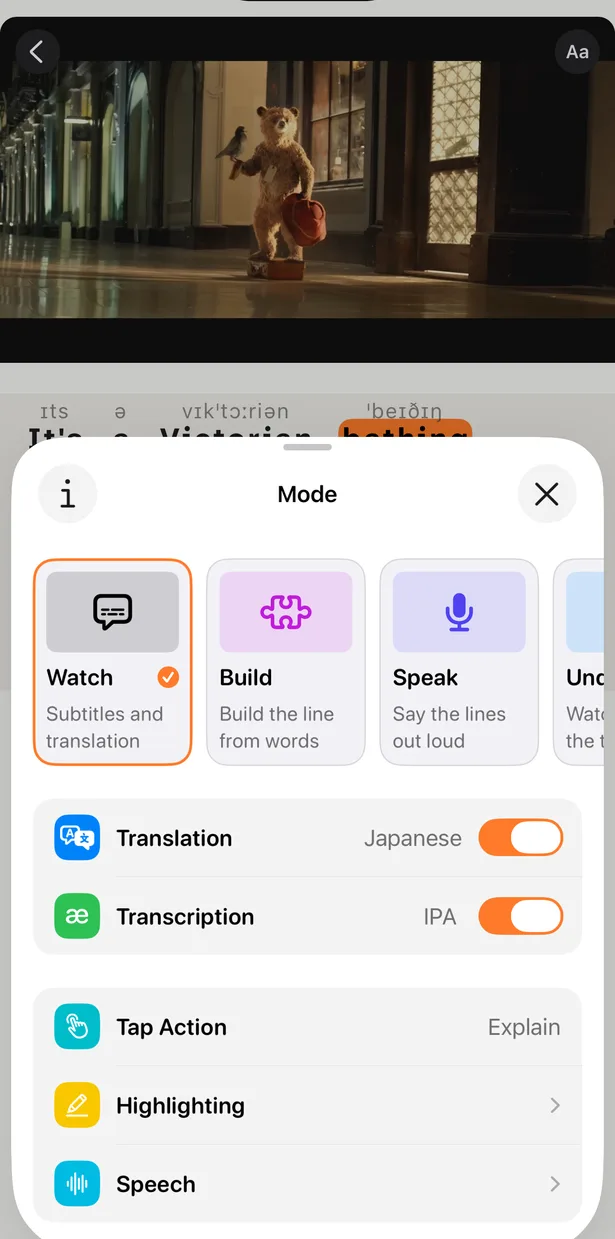
- 3Rewatch with the translation hidden. In Understand mode the translation stays hidden until you tap to check yourself, and the video pauses after every line.
- 4Then drop the text. Listen mode removes the subtitles, and Speak mode lets you repeat each line out loud on the same video.
- 5Pick videos a little above your level. If you need the translation for every line, the video is too hard. If you never look at it, turn it off.
How much support at each level
Not sure about your level? See CEFR levels explained.
Good subtitles matter
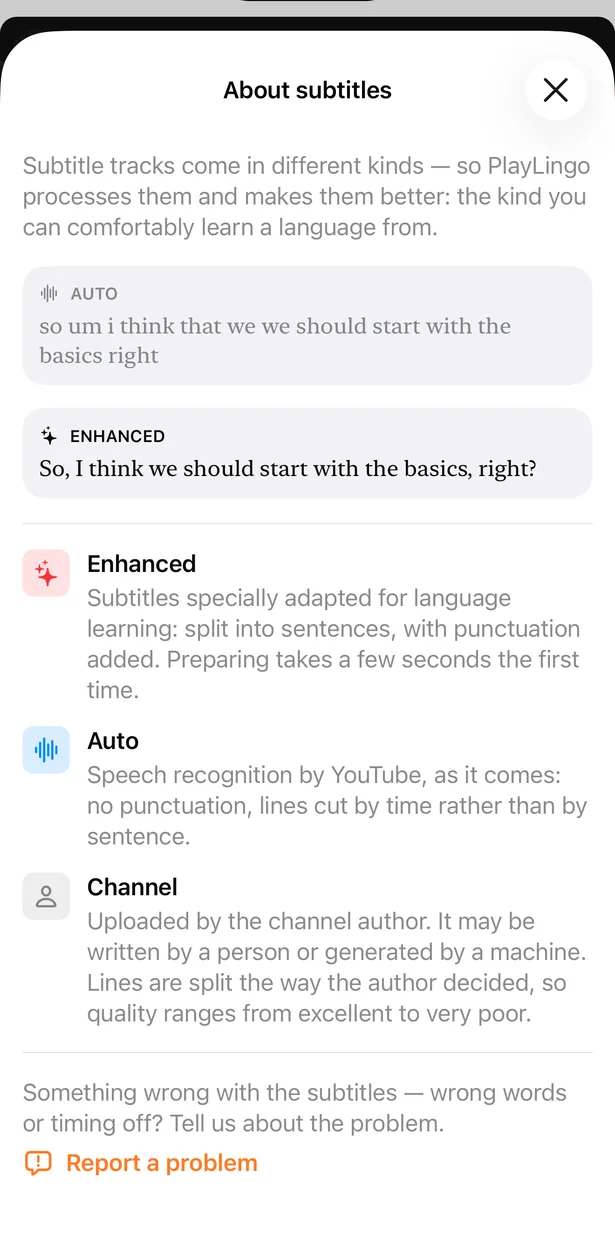
YouTube’s automatic subtitles have no punctuation and cut lines by time rather than by sentence — hard to read and harder to translate. PlayLingo offers an Enhanced track: the same speech split into whole sentences with punctuation, so every line is a complete thought.
Each line is translated in the context of the video, so idioms and slang come out by meaning, not word by word. When a channel uploads its own subtitles, you can choose those instead.
67 languages, translation into yours
PlayLingo works with any YouTube video in 67 languages, and each has a catalog of videos picked by level. The translation comes in your native language by default, and you can switch it to another one — handy when you learn a third language through a second.
The app runs on iPhone, iPad, Mac and Android. On a computer, the free Chrome extension adds the same two lines of subtitles right on YouTube. When you want to speak, not just understand, try shadowing on the same videos.
Questions
Are bilingual subtitles free in PlayLingo?+
Yes. Bilingual subtitles and translation are free in every language. The free plan has a daily watching limit; Pro removes it.
Don’t bilingual subtitles become a crutch?+
They can, if you only read the translation. Keep your eyes on the original line, rewatch with the translation hidden and turn it off once you rarely need it. Used this way, the translation is scaffolding that you take down step by step.
Are bilingual subtitles good for beginners?+
Yes — they are what makes real videos usable at A1–A2. Start with short, slow videos from the catalog for your level and lower the playback speed if you need to.
How accurate is the translation?+
Lines are translated by AI in the context of the video, so idioms and slang are translated by meaning rather than word by word. You can also tap any word or phrase to see what it means in that sentence.
Which videos work best?+
Whatever you would watch anyway, a little above your level: vlogs, interviews, movie scenes, cartoons for beginners. Clear speech and subtitles on YouTube give the best lines.
Can I watch with bilingual subtitles on a computer?+
Yes. The app runs on Mac, and the free PlayLingo extension for Chrome shows the original and the translation right on YouTube.
Your next video, in two languages
Free to download. iPhone, iPad, Mac and Android.