
The Wordbox alternative that opens any YouTube video.
Free to download. iPhone, iPad, Mac and Android.
Wordbox English teaches English in six-minute sessions built from clips of TV shows: a scene from a sitcom, a few words, a quiz, done. It is a pleasant way to meet vocabulary. But it is English only, the clips are seconds long, you cannot bring a video of your own, and reviews split between five stars and one. PlayLingo is a different kind of tool: any YouTube video, full length, with bilingual subtitles, an AI tutor in every line and practice on the video itself — in 67 languages, free to start.
Why people look for a Wordbox English alternative
Wordbox English has over a million installs and high store ratings, but its written reviews tell a more mixed story:
- Clips, not videos. Sessions are built from short scenes chosen by the app. You do not watch a whole episode or a video you picked; you cannot paste a YouTube link.
- English only, for a few native languages. The lessons target English learners, mostly Spanish and Portuguese speakers; there is no way to learn another language.
- Stability and payments. One-star reviews from 2024–2025 mention freezing, lost progress, clips that do not load and lifetime purchases that did not activate.
- Not adapted to your level. Advanced learners report being drilled on basic words; the app has no CEFR-graded catalog to choose from.
- A dictionary, not an explanation. Words come with definitions and examples from shows; there is no one to ask why a line means what it means.
Wordbox works as a daily vocabulary snack. If you want to actually watch something and understand it, you want a player, not a quiz.
Wordbox English vs PlayLingo, side by side
The short version: Wordbox is a six-minute-a-day English vocabulary app built from TV clips. PlayLingo turns any YouTube video into a lesson in 67 languages, with an AI tutor and practice modes.
What PlayLingo keeps from Wordbox
Wordbox is right that scenes stick better than word lists. PlayLingo keeps that.
Words in scenes, not in lists
Every word you save in PlayLingo comes back as a flashcard with the clip it came from: the frame, the voice, the sentence. You remember the moment, not a definition.
Short sessions that fit a day
A learning day in PlayLingo counts after a few minutes, and the catalog has a “6 minutes or less” shelf for every language. The streak works the same way Wordbox’s does — without the ads.
Real speech from real shows
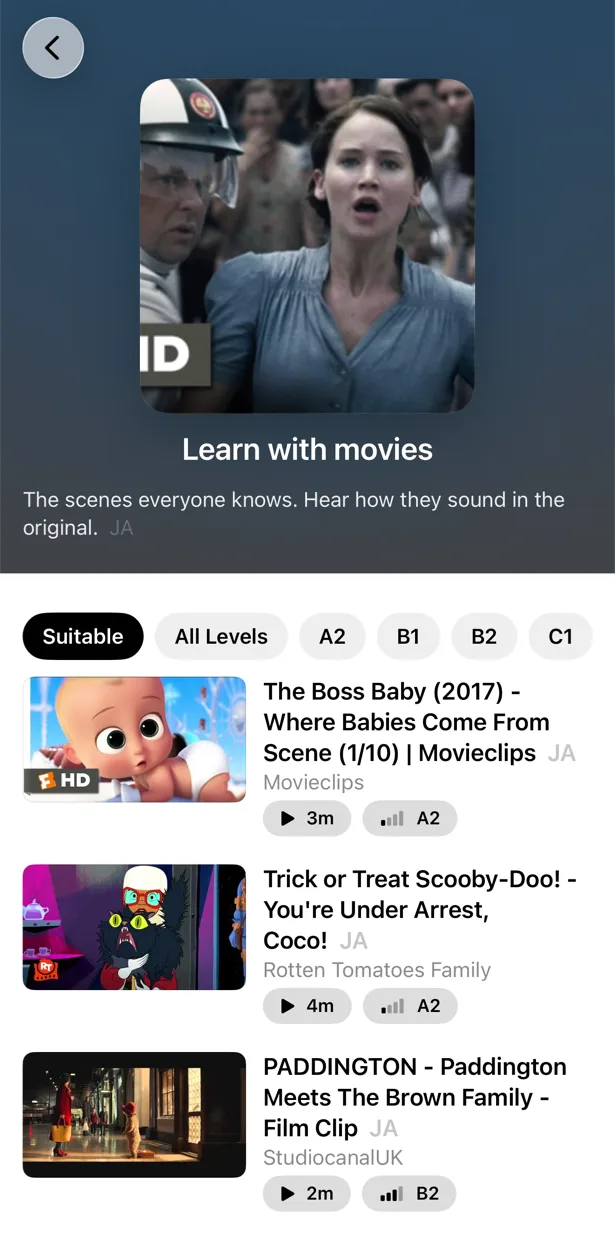
YouTube has full episodes of talk shows, sketches, interviews and web series in every language, with subtitles. PlayLingo opens them as lessons — the whole thing, not a clip.
What PlayLingo does differently
You choose the video
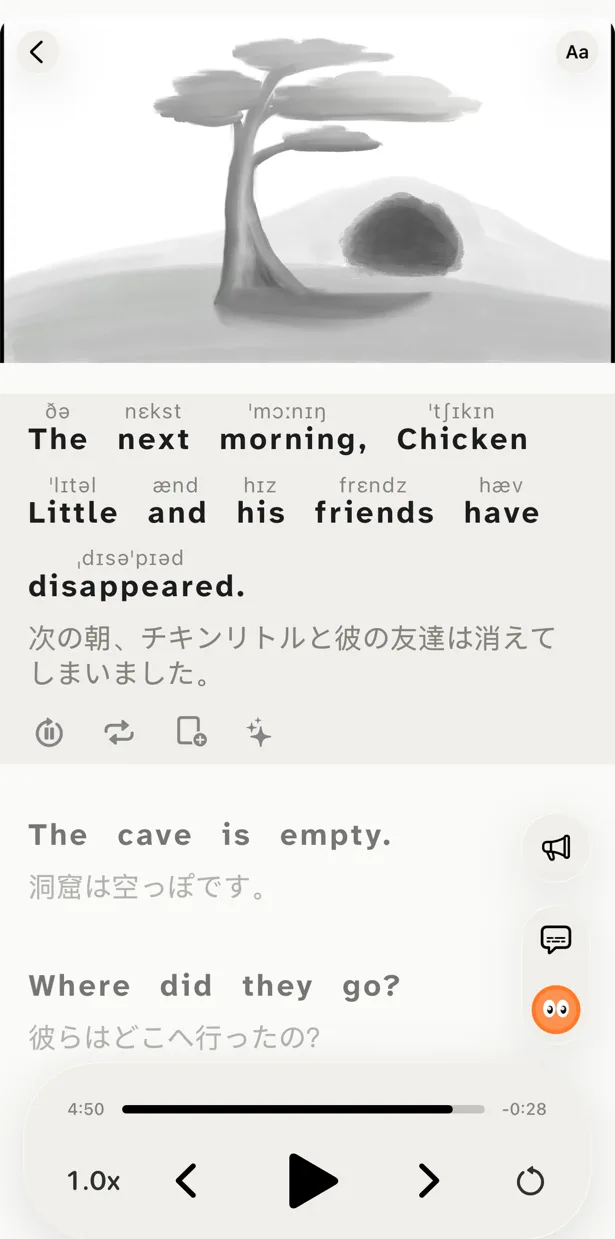
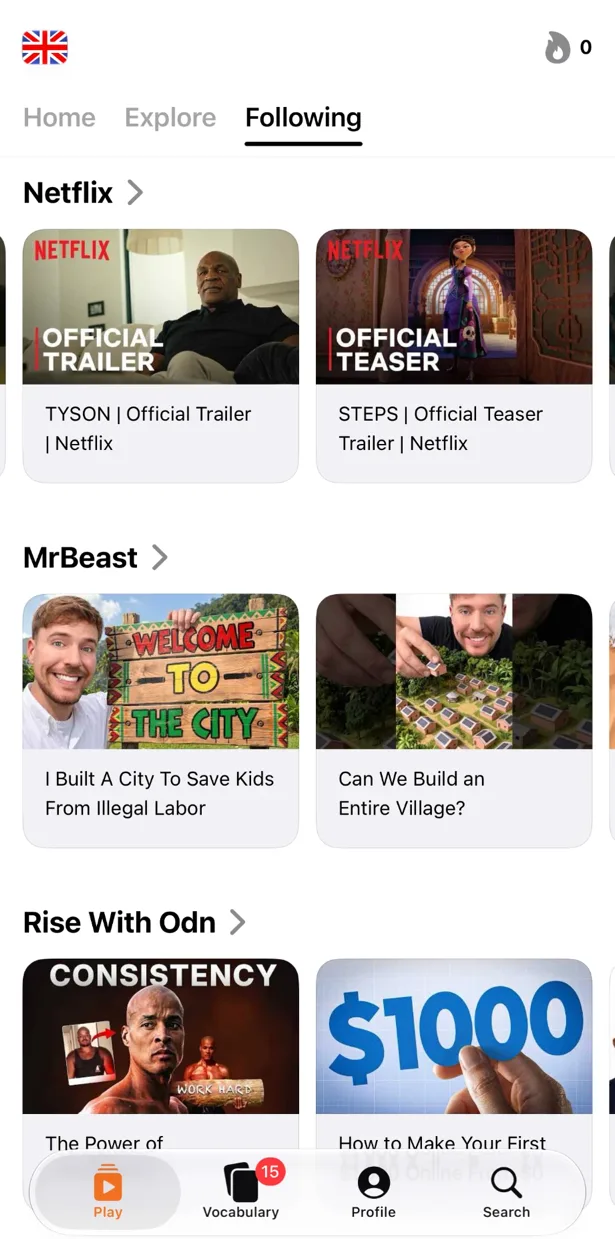
Paste any YouTube link, share from the YouTube app or search inside PlayLingo. The video plays full-screen with two subtitle lines: the original and its translation. Watch a whole interview with your favourite actor instead of a ten-second scene chosen by an algorithm.
Lingo explains every line
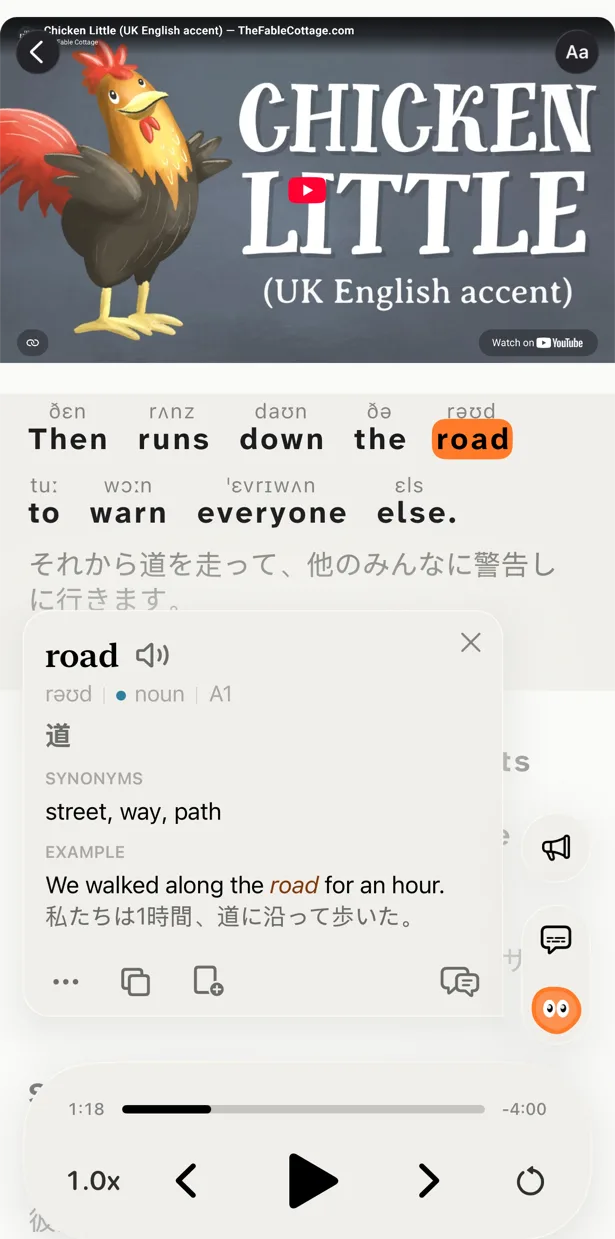
Tap a word or select a phrase and Lingo — the AI tutor in the player — explains what it means in this sentence, in your native language: the joke, the slang, the grammar. Ask a follow-up. Pro adds deep dives with word forms, frequency, origin and examples.
Practice built from the video
Five ways to watch the same video: with both lines, with the translation hidden, with the text hidden, by building each line from word tiles, or by repeating each line out loud with recognition. Practice is the video you chose, done harder — not a separate quiz.
67 languages, not one
Learn English from any native language, or learn Spanish, Portuguese, Japanese, Korean, French and 60 more, each with a catalog sorted by level. Explanations always come in your language.
Who should pick which
Both tools are good. They are not the same shape.
Pick Wordbox English if you want a six-minute vocabulary game built from TV scenes and learn English from Spanish or Portuguese.
Pick PlayLingo if you want to watch whole videos you chose and understand them, want an AI tutor and practice on the video, learn any of 67 languages, and use an iPhone, iPad, Mac or Android phone.
If you switch, keep the six-minute habit: one short video from the “6 minutes or less” shelf a day, three saved words, one pass in Listen mode.
On a computer: the free PlayLingo extension for Chrome
If you watch YouTube on a laptop, the free PlayLingo extension for Chrome shows two subtitle lines over the video: the original and its translation. No account needed. Word explanations, practice modes and saved words live in the app for iPhone, iPad, Mac and Android.
The method behind it
PlayLingo is built on comprehensible input: you acquire a language by understanding real messages slightly above your level, not by memorising rules. Real video is the densest source of that input ever made. The job of the app is to keep the help close enough that you never have to leave the video — and to turn what you watched into practice and memory.
FAQ
Is PlayLingo a free Wordbox alternative?+
Yes, with daily limits. Bilingual subtitles on any YouTube video, the catalog by level, AI explanations and a daily practice portion are free every day, with no ads. Pro removes the limits.
Does PlayLingo use TV shows like Wordbox?+
PlayLingo works with YouTube, where talk shows, sketches, web series and interviews are available in every language with subtitles. Licensed Hollywood clips are not included, and you watch the whole video, not a scene.
Can I learn Spanish or Portuguese with PlayLingo?+
Yes — and 65 other languages, each with a catalog by level and explanations in your native language. Wordbox teaches English only.
Does PlayLingo have pronunciation practice?+
Yes. Speak mode plays a line from the video and listens while you repeat it, lighting up the words it recognises. Pro adds pronunciation above words (IPA and other systems) in the subtitles.
Is there a lifetime plan for PlayLingo?+
No. PlayLingo Pro is a monthly or yearly subscription, and the free plan has no time limit.
Does PlayLingo work on Android?+
Yes. PlayLingo is on Google Play for Android 9 and later, with the same catalog, explanations and practice as on iPhone. On a computer, the free PlayLingo extension for Chrome adds bilingual subtitles to YouTube.
More comparisons
PlayLingo is one of several tools built on real content. Here is how it compares to the others people ask about:
Try the Wordbox alternative with whole videos.
Free to download. iPhone, iPad, Mac and Android.