
Read a book in the language you learn, line by line.
Free to download. iPhone, iPad, Mac and Android.
Parallel-text editions and graded readers exist for a few languages and a few books. PlayLingo turns any book into one: each sentence in the original, the translation under it, a voice that reads along, and Lingo for anything you still don’t get. Start with a classic from the catalog or open a book of your own.
How it works
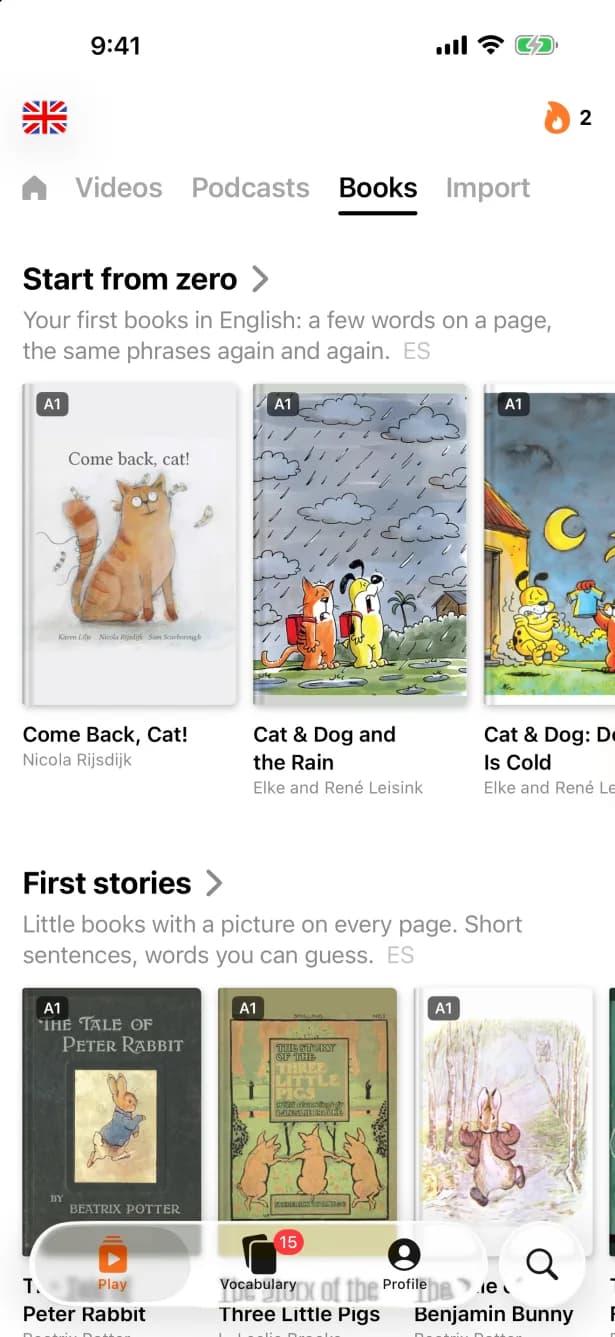
- 1Pick a book. Choose from the Books shelf — classics and children’s books sorted by level — or search for a public-domain title by name.
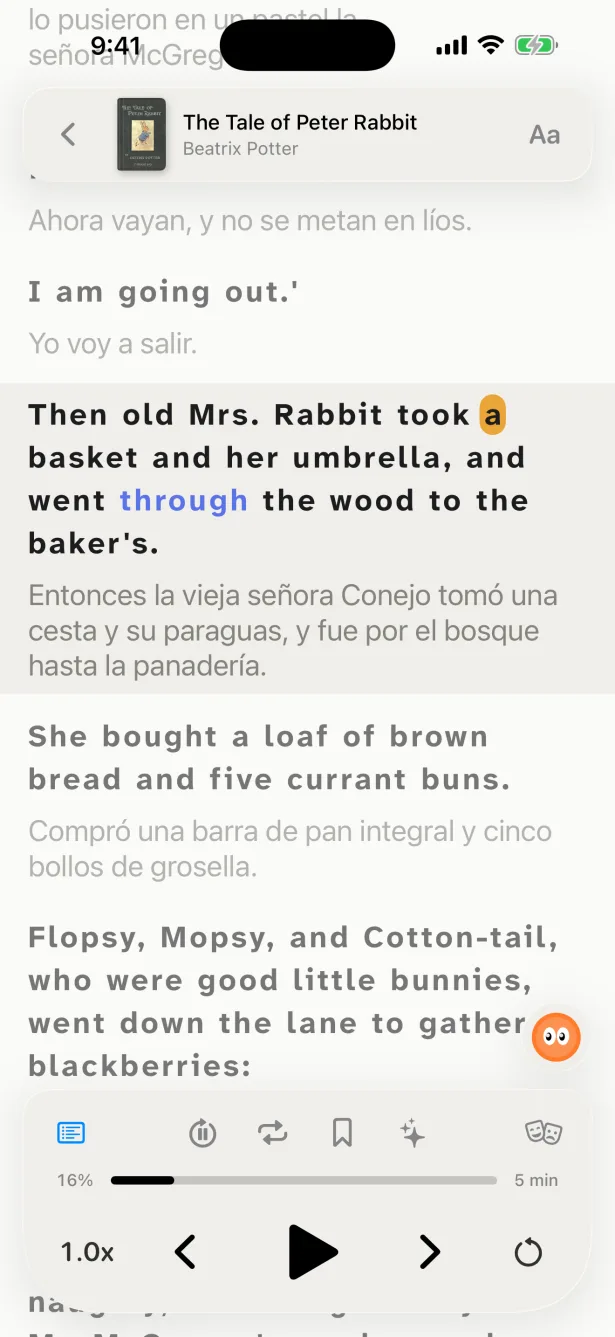
- 2Read with the translation. Switch the translation on and the text becomes a column of sentences, each with its translation under it.
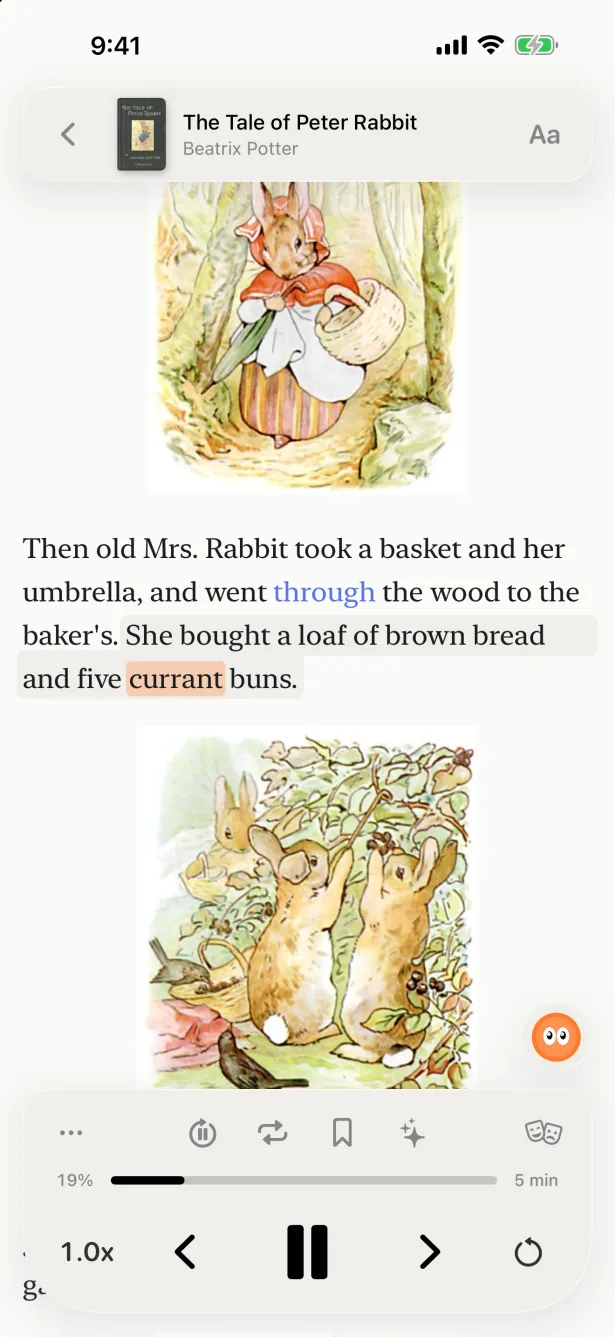
- 3Or let it read to you. Turn on the voice: it reads sentence after sentence, highlights the word you hear and keeps going with the screen locked.
- 4Tap, ask, save. Tap a word for Lingo’s explanation in this sentence and save it; it comes back for review with the sentence where you found it.
What makes it work
Parallel text for any book
The translation sentence by sentence, in context, in your native language — no special edition needed.
Listen and read along
A natural voice reads the book and the current word lights up, so you hear how the written word sounds.
Books for your level
Picture books and easy stories for beginners, novels for confident readers, on shelves sorted by level.
Classics for free
Public-domain books from Standard Ebooks, Project Gutenberg, Wikisource and open libraries of children’s books.
Your own books and pages
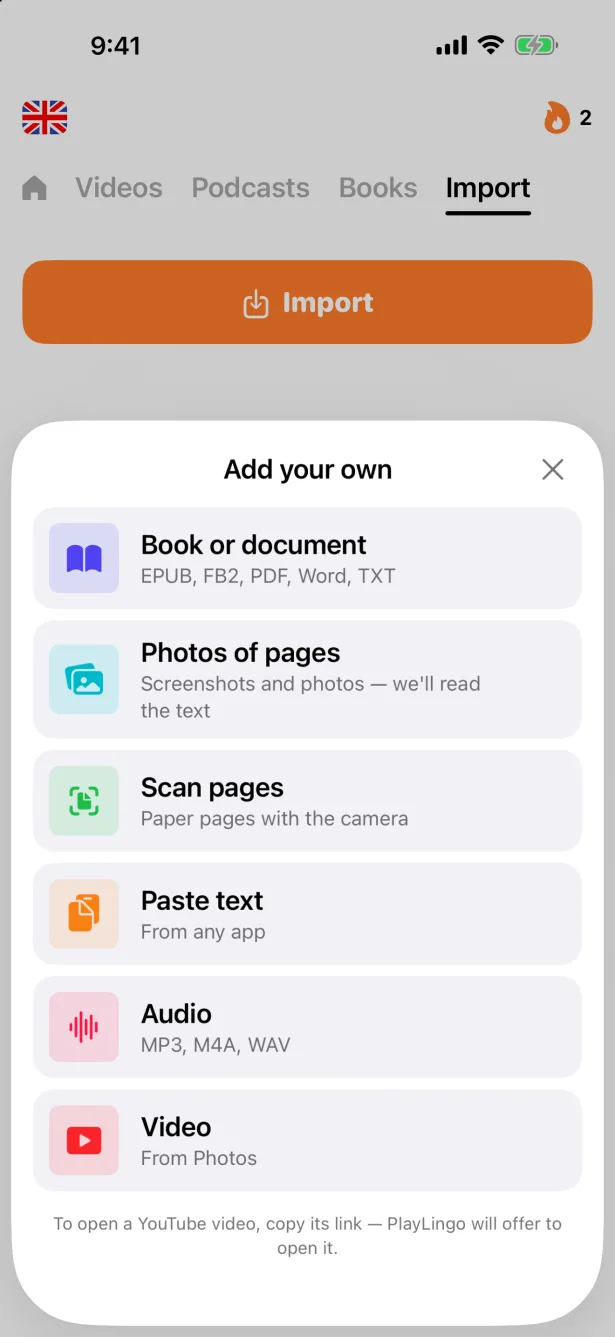
Open an EPUB or FB2, a PDF, Word or text file, paste text, or take a photo of a page — the text is recognised on your phone.
Words with their sentence
Saved words come back in spaced-repetition practice (FSRS-6) with the sentence where you found them.
What to read at your level
Read what you can mostly follow without the translation, and use it as a safety net rather than a crutch — the comprehensible input rule. Not sure of your level? See the CEFR levels.
- A1–A2
- Picture books and children’s stories: short sentences and everyday words, with the translation on. The first Books shelf starts here.
- B1–B2
- Short stories and lighter classics, such as Peter Rabbit, Alice in Wonderland or Sherlock Holmes stories. Read in the book view and switch the translation on for the hard pages.
- C1+
- Any novel you want to read: a classic from the catalog or your own e-book. Let the voice read while you follow the text.
Which languages
Book search finds public-domain books in English, Spanish, French, German, Italian, Portuguese, Dutch, Polish, Czech, Swedish, Russian, Ukrainian, Greek, Turkish, Arabic, Hindi, Thai, Vietnamese, Japanese, Korean, Chinese and more, and most of these languages also have a Books shelf picked by us. Your own files work in any language you learn, and the translation comes in your native language.
Graded readers?
We don’t sell publishers’ graded series such as Oxford Bookworms or Penguin Readers. If you have one as an e-book without copy protection, open it in PlayLingo and read it with the same tools: translation under each sentence, a voice, and Lingo.
FAQ
Is it free?+
Reading and the book catalog are free every day, within daily limits. Pro removes the limits.
Which books can I read?+
Public-domain classics and children’s books from the catalog, any public-domain title you find in search, and your own files.
Can I read new books, like a bestseller?+
Only if you have the e-book file yourself, without copy protection. PlayLingo doesn’t sell books.
Does it work with PDF and photos of pages?+
Yes: EPUB, FB2, PDF, Word, TXT and Markdown files, pasted text, and photos or scans of pages. Text from photos is recognised on your phone, and your files stay on your device.
Do my books sync between devices?+
Catalog books and your progress do. Your own files stay on the device where you added them; add the same file on another device and it opens where you left off.
Which devices does it work on?+
iPhone, iPad and Mac, and Android from version 6.42.
Your first chapter, understood.
Free to download. iPhone, iPad, Mac and Android.