
A podcast app for language learners.
Free to download. iPhone, iPad, Mac and Android.
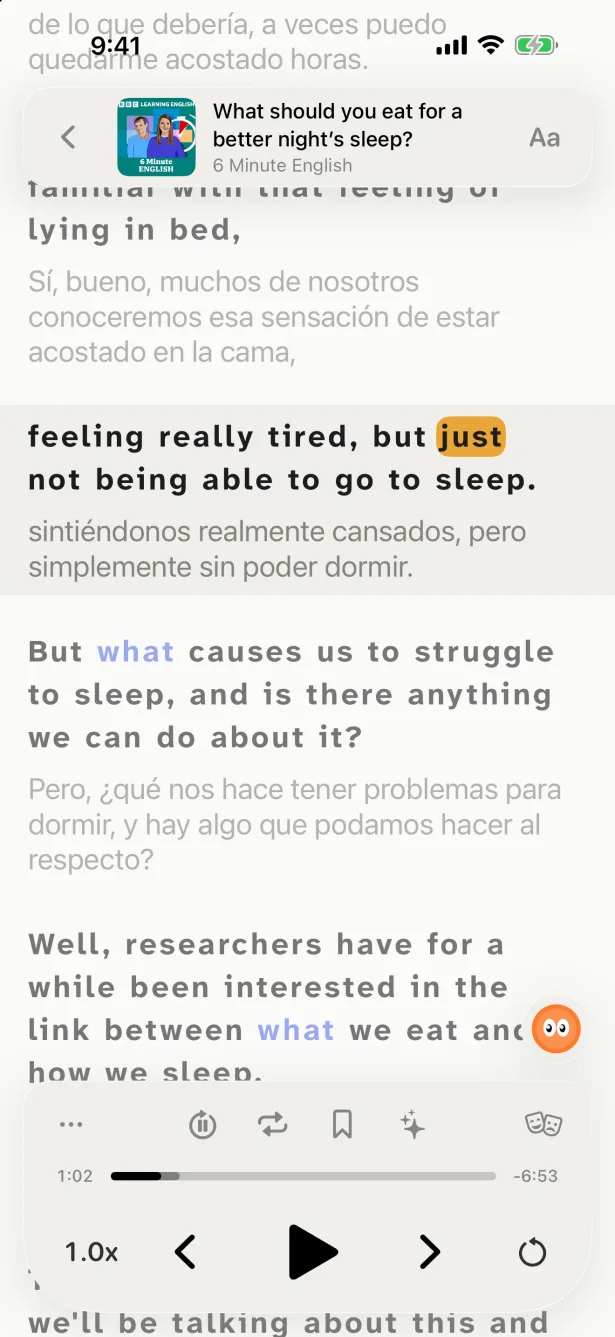
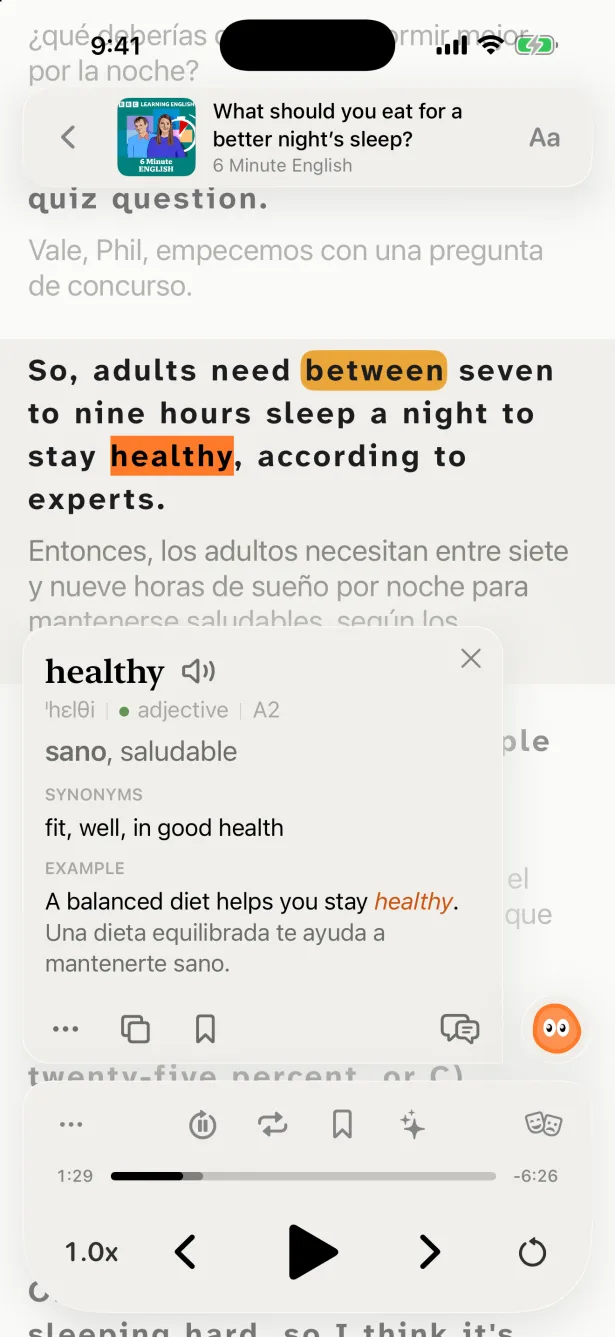
Podcast apps are built for listening in a language you already know. When the language is new, you need more: the text of what was just said, what it means, and a way to hear the line again, slower. PlayLingo is a podcast player built around that: every episode as a transcript in sentences, the translation under each line, and Lingo for the words that still don’t make sense.
How it works
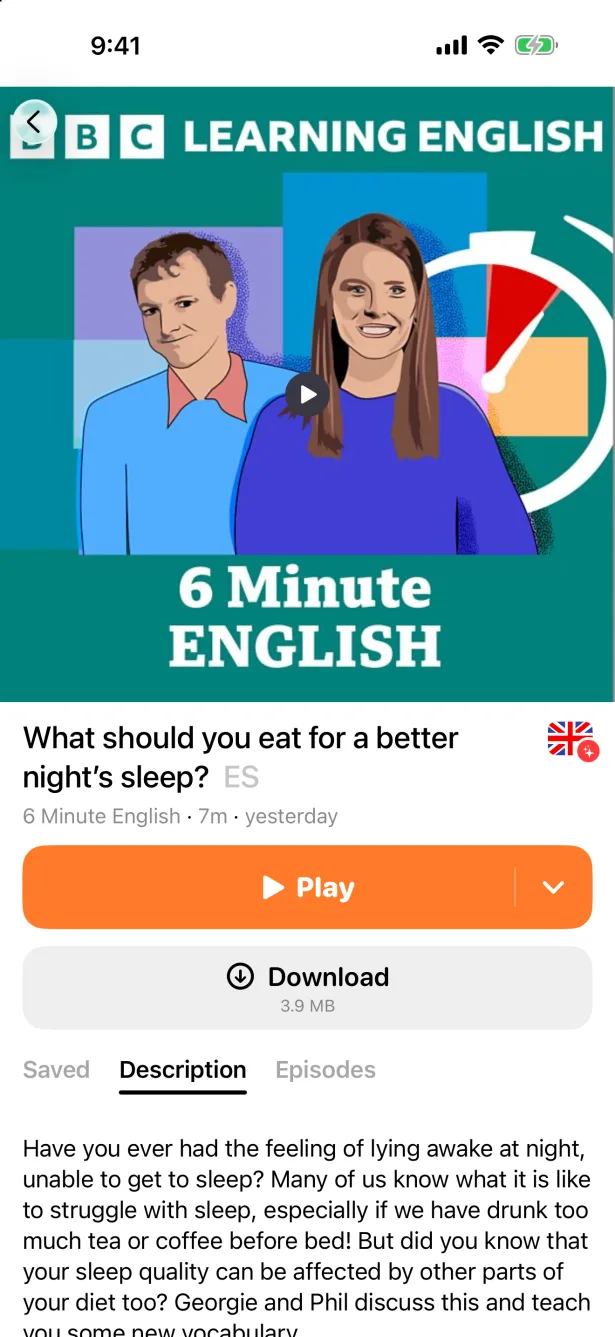
- 1Search for the show. Find any podcast with a public feed by name, or open the Podcasts shelf of your language.
- 2Play and get the transcript. The episode starts at once; the transcript arrives as sentences that follow the audio.
- 3Control it by lines. Go back one line, repeat it, loop a phrase or lower the speed — no scrubbing through seconds.
- 4Keep what you learn. Save words and phrases from the transcript; they come back for review with the line where you heard them.
What a learner’s podcast app needs
A transcript of any episode
Made from the audio when the show doesn’t publish one, and split into full sentences.
Translation under each line
In your native language, sentence by sentence and in context.
Explanations, not just a dictionary
Lingo explains slang, idioms and grammar for this sentence. Ask a follow-up question.
Playback by lines
Previous and next line, repeat, loop, auto-pause after each line, and speed from slow to fast.
Vocabulary from episodes
Saved words return in spaced-repetition practice (FSRS-6) with the line where you heard them.
Any show, offline too
Search any podcast with a public feed and download episodes to listen without a connection.
PlayLingo vs a regular podcast app
Apple Podcasts, Spotify and Pocket Casts are good players. For learning a language, they miss the parts that matter most:
Checked in October 2026. Other apps change their features; this compares what is built in, without add-ons.
Which shows work best
Any show works, but learning is easier when you understand most of an episode — the comprehensible input rule. Check your level with the CEFR levels.
- A1–A2
- Shows made for learners, with slow speech and short episodes, and stories for children.
- B1–B2
- Learner podcasts at natural speed and conversation shows with two hosts.
- C1+
- Whatever you would listen to in your own language: news, interviews, comedy.
Which languages
Podcast search, the Podcasts shelf and transcripts work in most major languages: English, Spanish, French, German, Italian, Portuguese, Russian, Turkish, Arabic, Hindi, Japanese, Korean, Chinese and more.
New to learning with podcasts?
What to listen to at each level and how to work with an episode is on the page about learning with podcasts.
FAQ
Is this podcast app free?+
Listening, search and the catalog are free. Transcripts are part of Pro, with three hours of episodes a week.
Do podcasts have transcripts?+
Some shows publish them, and some apps show them for some episodes. PlayLingo makes a transcript of any episode from the audio, so you are not limited to shows that publish one.
How do I slow down a podcast?+
Tap the speed button under the player and pick a slower speed; the transcript keeps following the audio. Auto-pause after each line gives you time to read the translation.
Can I translate a podcast into my language?+
PlayLingo translates the transcript sentence by sentence into your native language and shows it under each line. The audio stays in the original: that is what you are learning from.
Is there a podcast app with transcripts for Android?+
Yes. PlayLingo for Android has podcasts from version 6.42, with the same transcripts and translation as on iPhone.
Can I listen offline?+
Yes. Download an episode on its page and listen without a connection.
Your podcasts, with the words on screen.
Free to download. iPhone, iPad, Mac and Android.