
The FluentU alternative for the videos you actually watch.
Free to download. iPhone, iPad, Mac and Android.
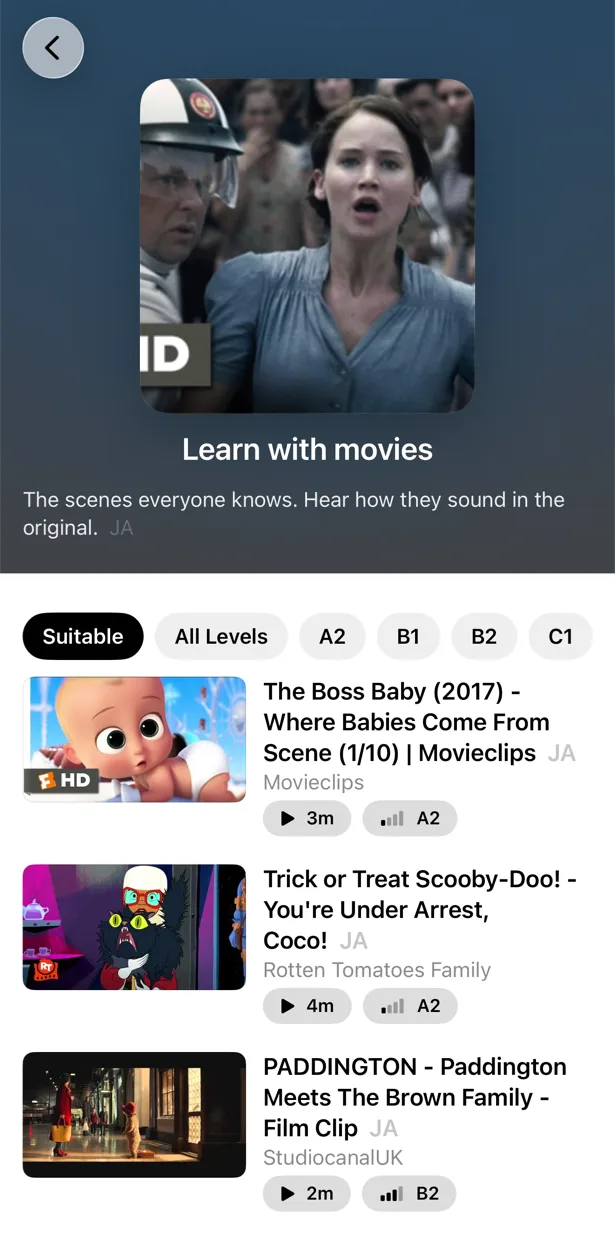
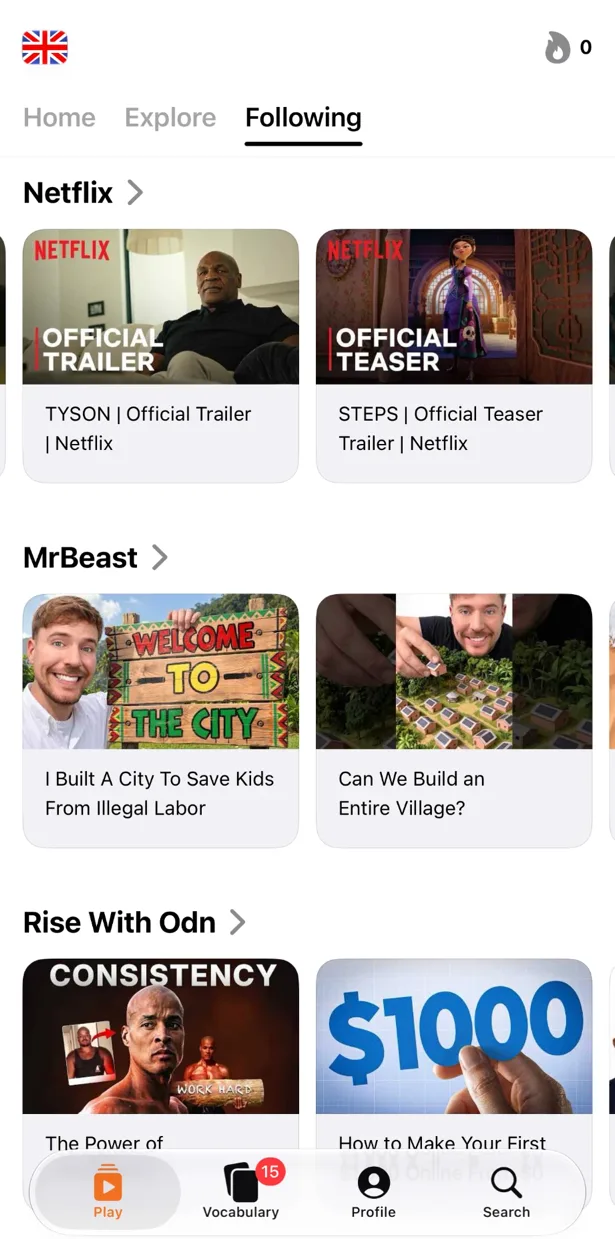
FluentU was one of the first apps to prove that real video beats textbook dialogues: short clips from YouTube with interactive subtitles, quizzes after each one. Fifteen years later the idea is still right, but the product has walls around it — a curated library of short clips, nine or ten languages, and no real free plan. PlayLingo takes the same idea and opens it up: any YouTube video, 67 languages, a free plan you can learn on every day, and an AI tutor inside the player.
Why people look for a FluentU alternative
FluentU’s reviews on the App Store, Google Play and Trustpilot are mostly positive about the idea and mostly negative about the same four things:
- The trial needs a card. There is no free plan; the 14-day trial asks for a card up front, and being charged after it is the most common complaint in reviews.
- Only the curated library. You watch the clips FluentU has annotated — trailers, commercials, music videos, cartoons, news — mostly under three minutes. You cannot add a YouTube video of your own inside the app. The 2026 Chrome extension adds YouTube and Netflix, but only in a desktop browser and only on a paid plan.
- Nine or ten languages. Spanish, French, German, Italian, Japanese, Korean, Mandarin, Russian, English, Portuguese — with the smaller catalogs described as thin.
- Quiz fatigue and a dated interface. “The quizzes are way too long” and “the interface appears outdated” come up in reviews from 2024 to 2026, alongside bugs after updates.
- No native Mac app, and the AI tutor works only in the mobile apps.
If you like FluentU’s method — learn from real video, look up words in context, review them later — the question is not whether the method works. It is whether you want to apply it only to someone else’s clip library.
FluentU vs PlayLingo, side by side
The short version: FluentU is a curated library of short annotated clips with quizzes, for about ten languages. PlayLingo turns any YouTube video into a lesson with an AI tutor and practice modes, for 67 languages, with a free plan.
What PlayLingo keeps from the FluentU method
FluentU was right about the fundamentals. PlayLingo keeps all of them.
Real video, not textbook audio
Native speakers at native speed, with their accents, jokes and half-finished sentences. That is where listening comprehension comes from, and it is what both apps are built around. The difference is that PlayLingo lets you choose the video.
Words in context, not in lists
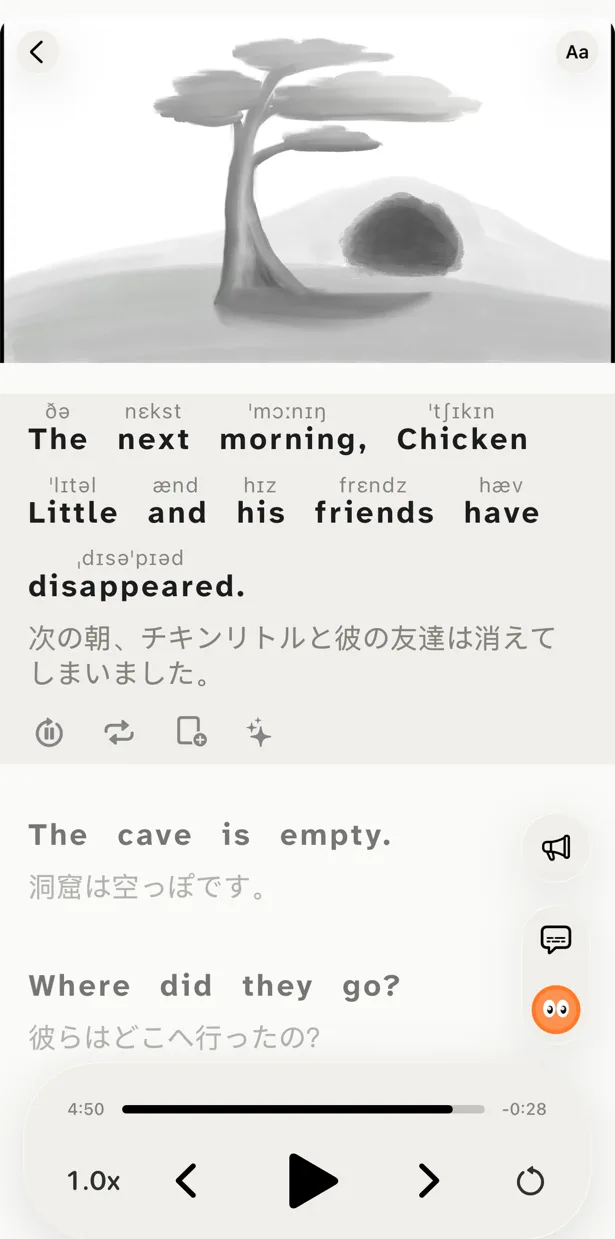
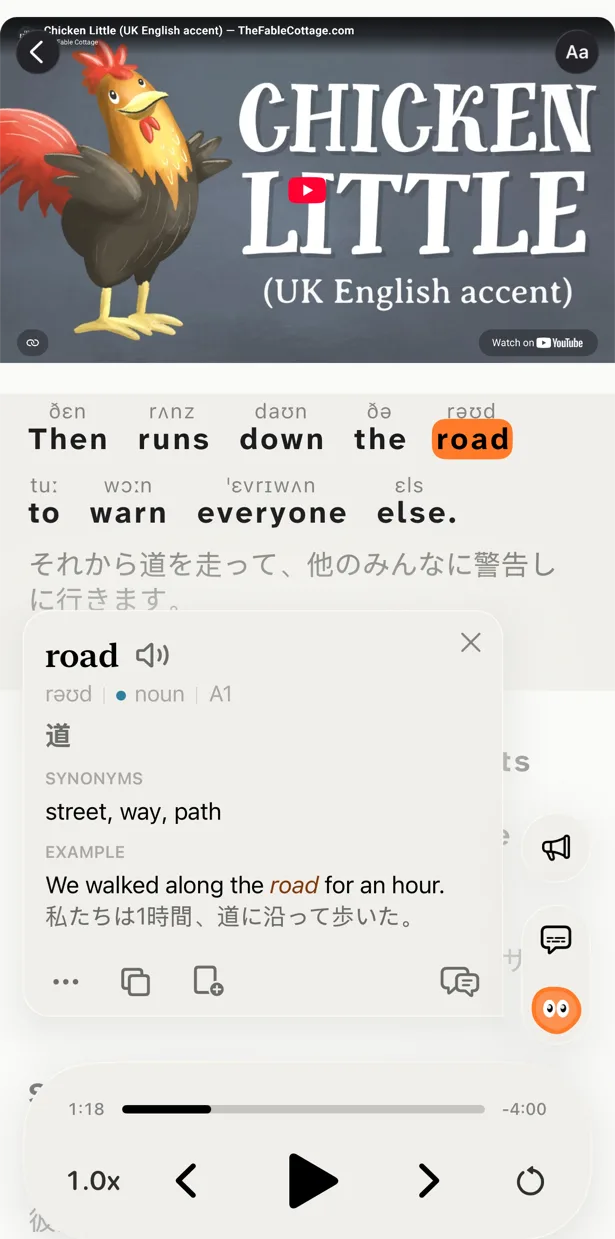
Tap a word in the subtitle and you see what it means in this sentence. Save it and it comes back for review with the clip it came from. FluentU shows you example clips from its library; PlayLingo shows you the moment you actually heard the word.
Review that follows what you watched
Saved words, phrases and whole lines come back as flashcards on a spaced-repetition schedule, with several exercise formats. The practice comes from your videos, so the review stays connected to something you remember.
What PlayLingo does differently
Any YouTube video becomes a lesson
Paste a link, share from the YouTube app or search inside PlayLingo. Any video with subtitles opens with a translation under every line and Lingo ready to explain. Long interviews, full lectures, a series of vlogs from one creator — content long enough to actually immerse in. The catalog by level is there when you want a suggestion, not a fence.
An AI tutor instead of a lookup
FluentU gives you a dictionary entry and example clips. Lingo — the AI tutor inside the PlayLingo player — reads the line and explains in your native language what the speaker meant: the idiom, the slang, the grammar, the tone. Ask follow-ups. Open a deep dive for word forms, frequency, origin and related words.
Practice inside the video, not after it
Instead of a long quiz after each clip, PlayLingo gives you five ways to watch the same video: Watch, Understand (translation hidden), Listen (text hidden), Build (assemble the line from words) and Speak (repeat the line with recognition). You decide how hard each session is.
A free plan you can learn on
Subtitles, the catalog, any YouTube video and explanations are free every day with daily limits. Pro removes the limits and adds deep dives, pronunciation above words and export to Anki, for all 67 languages.
Who should pick which
Both tools are good. They are not the same shape.
Pick FluentU if you want a hand-annotated library with quizzes already written for you, you learn one of its ten languages, and you want it on the web.
Pick PlayLingo if you want to learn from the YouTube videos you already watch, want AI explanations and practice inside the player, learn one of 67 languages, want to start free, and use an iPhone, iPad, Mac or Android phone.
If you are on the fence, start with PlayLingo: it is free, and you can find out in a week whether learning from your own videos sticks better than a curated library.
On a computer: the free PlayLingo extension for Chrome
If you watch YouTube on a laptop, the free PlayLingo extension for Chrome shows two subtitle lines over the video: the original and its translation. No account needed. Word explanations, practice modes and saved words live in the app for iPhone, iPad, Mac and Android.
The method behind it
PlayLingo is built on comprehensible input: you acquire a language by understanding real messages slightly above your level, not by memorising rules. Real video is the densest source of that input ever made. The job of the app is to keep the help close enough that you never have to leave the video — and to turn what you watched into practice and memory.
FAQ
Is there a free FluentU alternative?+
PlayLingo is free to download and free to use every day: bilingual subtitles on any YouTube video, a catalog by level, AI explanations and a daily practice portion, with daily limits on watching time and exercises. FluentU has no free plan, only a 14-day trial that requires a card.
Can I add my own YouTube videos in PlayLingo?+
Yes — that is the point. Paste a link, use the share sheet from the YouTube app, or search inside PlayLingo. Any video with subtitles (channel-made or automatic) opens with a translation and explanations. FluentU limits you to its curated library inside the app.
Does PlayLingo have quizzes like FluentU?+
It has practice, built into the video: Listen mode hides the text, Build mode has you assemble each line from words, Speak mode checks your pronunciation. Saved words return as flashcards with the clip, on a spaced-repetition schedule, in several exercise formats.
How many languages does PlayLingo support?+
67 languages to learn, each with its own catalog by level: Spanish, French, German, Italian, Portuguese, Japanese, Korean, Chinese, Russian, English — and dozens FluentU does not cover, such as Arabic, Turkish, Thai, Vietnamese, Hindi, Polish, Dutch and Ukrainian. Explanations come in your native language.
Does PlayLingo work on Android or the web?+
On Android, yes — PlayLingo is on Google Play for Android 9 and later. There is no web version yet: on a computer, the free PlayLingo extension for Chrome adds bilingual subtitles to YouTube, and a Mac with Apple Silicon runs the full app.
More comparisons
PlayLingo is one of several tools built on real content. Here is how it compares to the others people ask about:
Try the FluentU alternative that opens any video.
Free to download. iPhone, iPad, Mac and Android.