
The Language Reactor alternative for iPhone, iPad and Mac.
Free to download. iPhone, iPad and Mac.
Language Reactor is the extension that made dual subtitles on Netflix and YouTube popular — on a desktop Chrome browser. There is no Language Reactor app for iPhone, iPad or Android, and no Safari version; its team confirmed that again in 2026. PlayLingo is what people install instead: dual subtitles on any YouTube video, an AI tutor that explains every line, practice modes and spaced repetition, built native for iPhone, iPad and Mac. Free to start. And if you want it on a computer too, PlayLingo has a free Chrome extension.
Why people search for a Language Reactor alternative
Language Reactor (formerly Language Learning with Netflix) has two million Chrome users, and a lot of them ask the same question on its forum, on Reddit and in App Store reviews of look-alike apps: “Is there a Language Reactor app for iPhone?” The answer is still no. Beyond the missing app, the 2025–2026 reviews point at a few more reasons people move on:
- Desktop only. The extension runs in Chrome or Edge on a computer. No iOS or Android app, no Safari or Firefox support. The mobile app promised in 2022 never shipped.
- Slow development. A forum thread titled “Language Reactor alternative” collects complaints about bugs reported for months and unanswered questions. The Chrome Web Store rating is 4.2 stars, with recent reviews trending lower.
- A dictionary, not a tutor. Hover a word and you get definitions; Lexa AI adds context on the Pro plan. Nothing tells you why a line is funny, rude or grammatically odd unless you ask a separate chatbot.
- No practice. Language Reactor helps you watch. It does not make you listen without text, rebuild a sentence or say it out loud. Saved words go to Anki or its own audio drill, PhrasePump.
- Machine translation behind Pro. On the free plan you get human subtitles only where the video has them; machine translation and word saving outside PhrasePump need the Pro plan.
Language Reactor is still a good tool for Netflix on a laptop. If you watch on a phone, want an explanation rather than a definition, or want to practice what you watched, you need something else.
Language Reactor vs PlayLingo, side by side
The short version: Language Reactor is a desktop browser extension for Netflix and YouTube with a dictionary and Anki export. PlayLingo is a native app for iPhone, iPad and Mac that turns any YouTube video into a lesson with an AI tutor and practice — plus a free Chrome extension of its own.
What PlayLingo keeps from Language Reactor
If Language Reactor taught us anything, it is that learners do not need another flashcard app — they need a player that gets out of the way and lets real video do the teaching. PlayLingo keeps the parts that work:
Dual subtitles, always
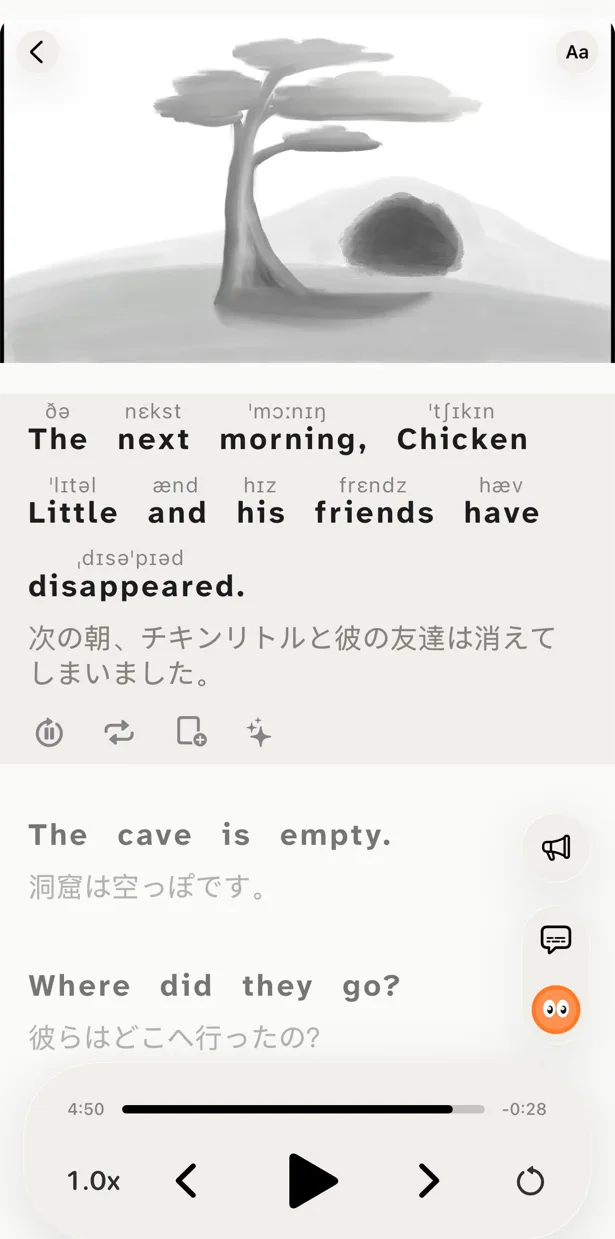
Your target language and your native language, one under the other, perfectly timed. When your ear misses a word, your eye fills the gap. The translation is made by AI in context — idioms and slang translated by meaning — and it is free.
Tap any word, see meaning instantly
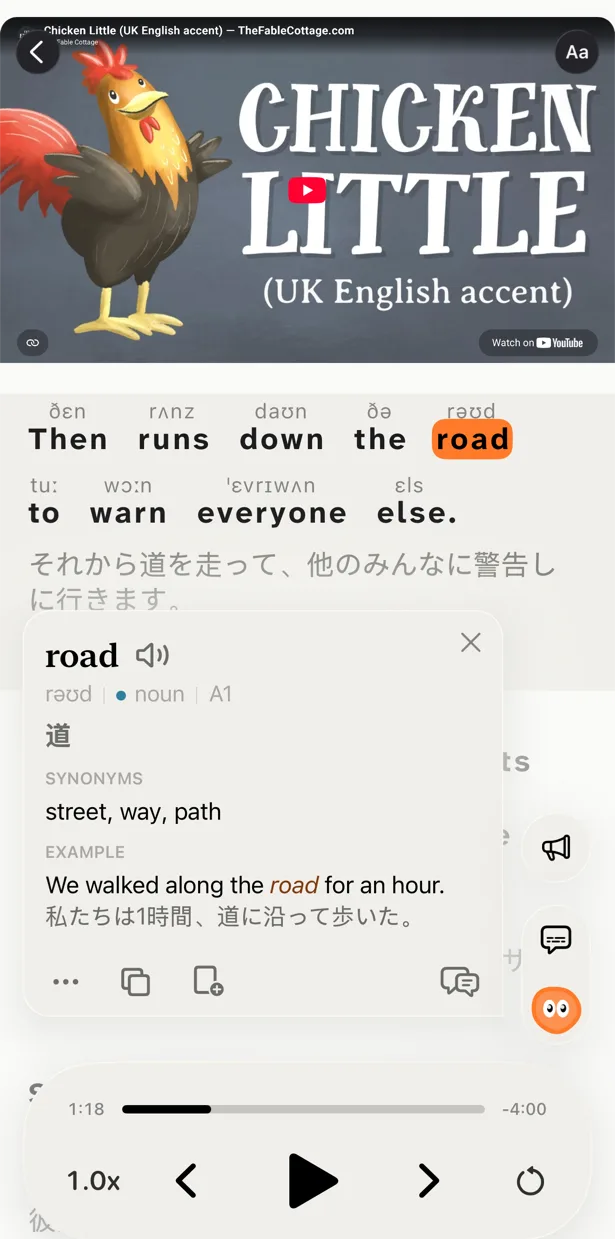
Tap a word in the subtitle and you get its meaning in this sentence, its part of speech and pronunciation, without leaving the video. On a phone that is a tap, not a hover — and you can select a whole phrase.
Controls made for studying
Repeat a line, slow it down, jump back a sentence, auto-pause after every line. The small controls Language Reactor users miss the moment they leave Chrome.
What PlayLingo adds on top
Lingo — an AI tutor in the player
A dictionary tells you what a word means in isolation. Lingo reads the line, the tone and the surrounding sentence and explains in your native language what the speaker actually meant. Idiom, joke, slang, cultural reference, odd grammar: tap, read a short answer, keep watching. Ask a follow-up. Pro adds deep dives with word forms, frequency, origin and examples.
Practice on the video you just watched
Five ways to watch any video: with both lines, with the translation hidden, with the text hidden and revealed word by word, by building each line from word tiles, and by saying each line out loud with recognition. Language Reactor stops at watching; PlayLingo turns watching into listening and speaking practice.
Words that come back with the scene
Save a word, a phrase or a line. It returns as a flashcard with the clip it came from, on an FSRS spaced-repetition schedule, and it is highlighted in every future video. No Anki setup needed — though Pro can export to Anki, CSV or PDF if you want it.
Native on the devices you actually watch on
Most YouTube is watched on a phone. PlayLingo is built for touch: big tap targets, gesture replay, picture-in-picture, a widget with the word of the day, share-sheet import from the YouTube app, and progress synced across iPhone, iPad and Mac with Sign in with Apple. On a computer, the free PlayLingo extension for Chrome adds dual subtitles to YouTube.
67 languages, each with a catalog
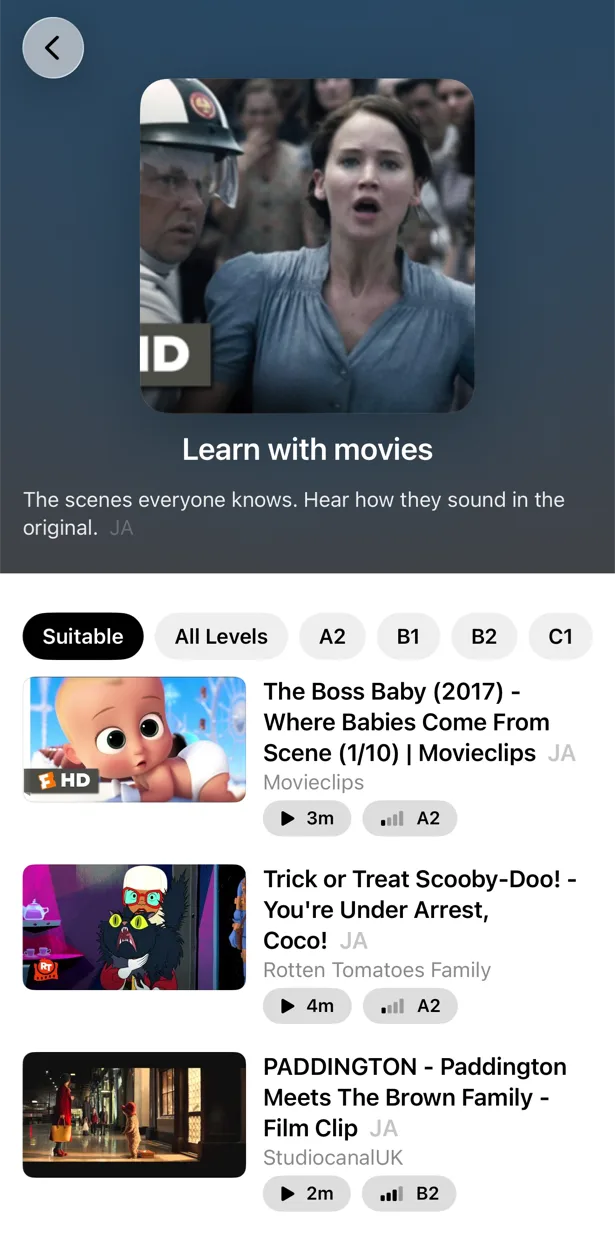
Pick from 67 languages, each with its own catalog of YouTube videos sorted by CEFR level and a “Start here” shelf for beginners, explained in your native language. Language Reactor gives you subtitles; PlayLingo also tells you what to watch.
Who should pick which
Both tools are good. They are not the same shape.
Pick Language Reactor if you study on a Windows or Linux desktop, watch mostly Netflix, read texts and books in Text mode, and prefer a browser extension paired with your own Anki workflow.
Pick PlayLingo if you study on an iPhone, iPad or Mac, watch mostly YouTube, want AI explanations of idioms and slang in context, want to practice listening and speaking on the same video, and want your saved words to travel with you instead of living in one tab.
Many learners use both — Language Reactor for Netflix on the laptop in the evening, PlayLingo on the phone during the day.
On a computer: the free PlayLingo extension for Chrome
If you watch YouTube on a laptop, the free PlayLingo extension for Chrome shows two subtitle lines over the video: the original and its translation. No account needed. Word explanations, practice modes and saved words live in the app for iPhone, iPad and Mac.
The method behind it
PlayLingo is built on comprehensible input: you acquire a language by understanding real messages slightly above your level, not by memorising rules. Real video is the densest source of that input ever made. The job of the app is to keep the help close enough that you never have to leave the video — and to turn what you watched into practice and memory.
FAQ
Is there a Language Reactor app for iPhone or iPad?+
No. Language Reactor is a browser extension for desktop Chrome and Edge, and its team confirmed in 2026 that there is no iOS or Android app. The apps in the App Store with “Language Reactor” in the name are made by other developers. PlayLingo is a native app for iPhone, iPad and Mac that gives you dual subtitles, an AI tutor and practice on any YouTube video.
Does Language Reactor work in Safari?+
No. There is no Safari extension, and Safari on iOS does not allow the kind of script injection the extension needs. On an iPhone or iPad the way to get dual subtitles on YouTube is a native app such as PlayLingo.
Is PlayLingo a Language Reactor clone?+
No. PlayLingo borrows the proven core idea — real video with dual subtitles and tap-to-look-up — but it is a separate product from a different developer, with a different shape: an AI tutor instead of a dictionary, practice modes on the video, built-in spaced repetition, and a native app for Apple devices.
Does PlayLingo work with Netflix?+
No. PlayLingo works with YouTube — in the app on iPhone, iPad and Mac, and through a free Chrome extension on a computer. If Netflix on a laptop is your main source, Language Reactor is still the more complete tool for that.
Is PlayLingo free?+
Yes, with daily limits. Dual subtitles on any YouTube video, the catalog by level, AI explanations and a daily practice portion are free every day, with no ads. Pro removes the limits and adds deep dives, pronunciation above words and export. The Chrome extension is free with no account.
Can I use PlayLingo on a computer?+
Yes. On a Mac with Apple Silicon, install the full app from the Mac App Store. On any computer with Chrome, the free PlayLingo extension shows dual subtitles over YouTube videos; explanations, practice and saved words are in the app.
Which one should I pick?+
Pick Language Reactor if you study on a desktop computer and watch a lot of Netflix. Pick PlayLingo if you study on an iPhone, iPad or Mac, watch mostly YouTube, and want explanations and practice, not just subtitles.
More comparisons
PlayLingo is one of several tools built on real content. Here is how it compares to the others people ask about:
Try the Language Reactor alternative for iPhone.
Free to download. iPhone, iPad and Mac.
Download on the App Store