
The LingQ alternative built for video, not text.
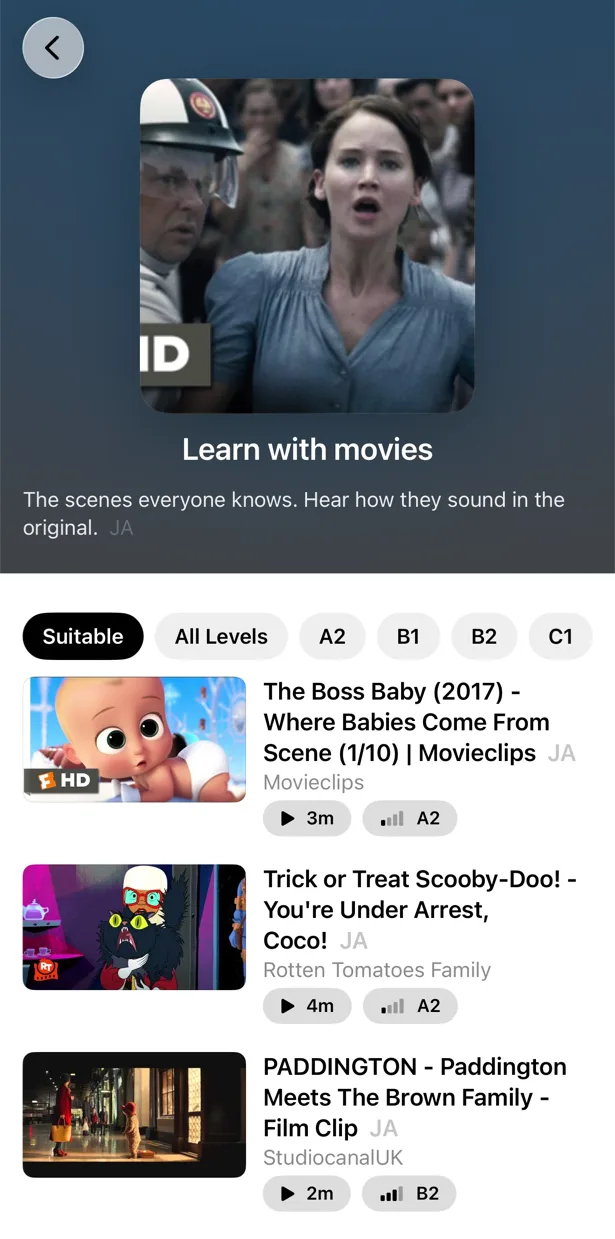
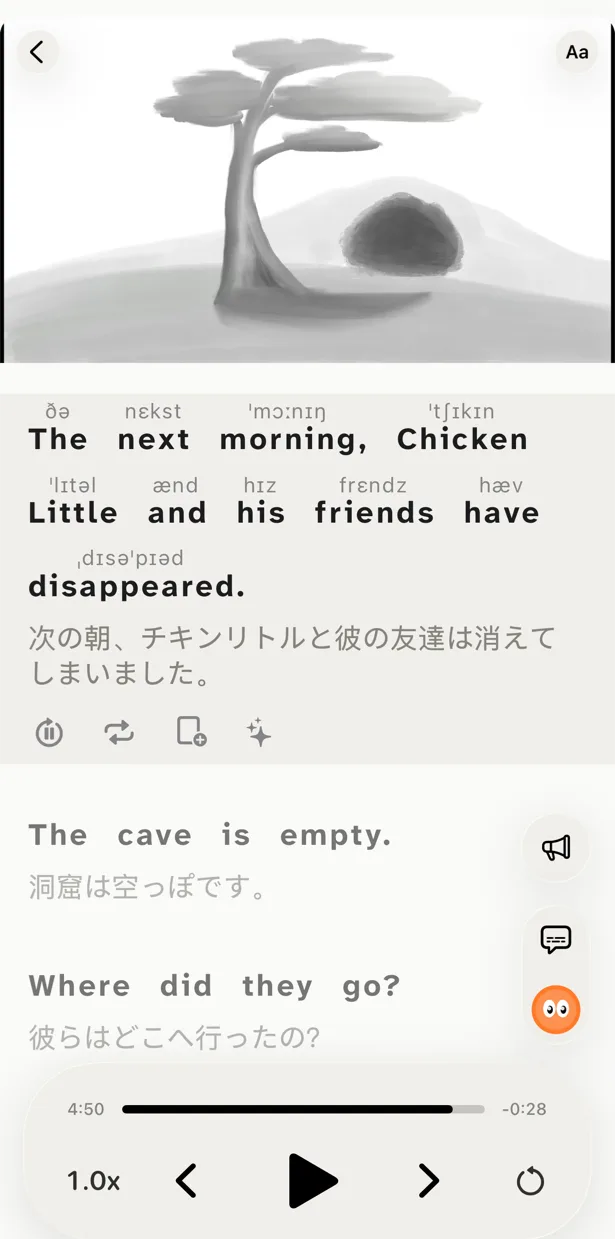
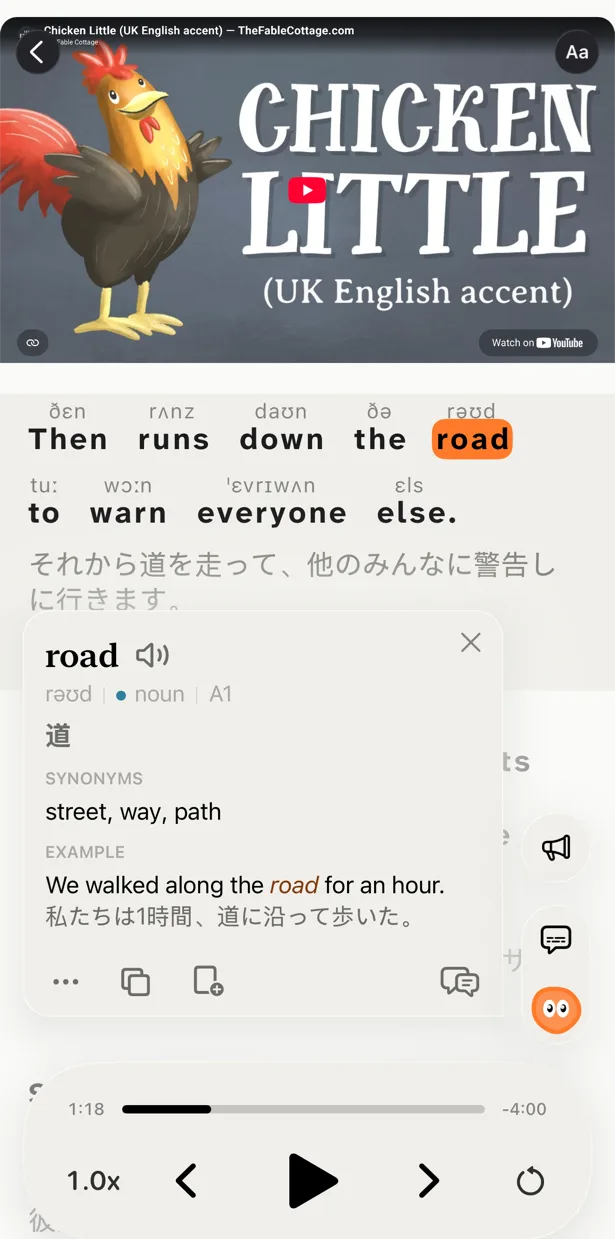
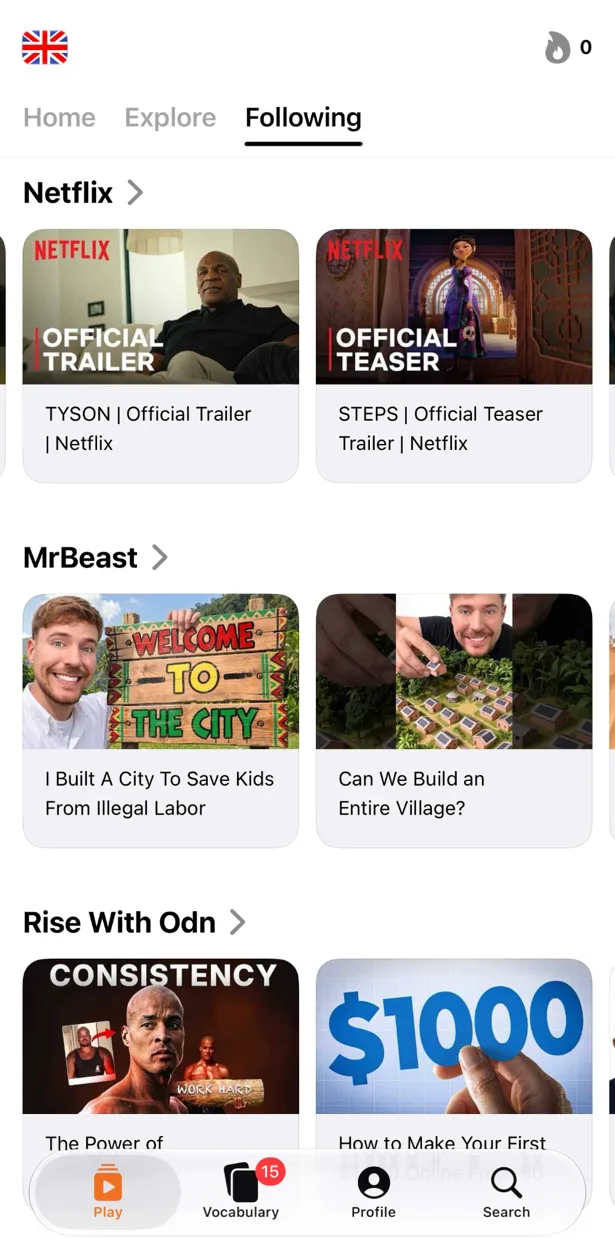
Free to download. iPhone, iPad and Mac.
LingQ has been teaching comprehensible input since 2007: read and listen to real content, click unknown words, watch the blue turn to yellow turn to known. The method works. But LingQ is a reading tool at heart — video plays in a small window over a transcript — and the app on a phone has never felt at home there. PlayLingo is the same idea rebuilt around video: any YouTube video with bilingual subtitles, an AI tutor inside every line, practice on the video itself, and a native app for iPhone, iPad and Mac.
Why people look for a LingQ alternative
LingQ has millions of sign-ups and a 4.7-star iOS app, so its critics are mostly people who wanted to love it. The same five points come up on its own forum, on Trustpilot and in 2025–2026 reviews:
- It is built for reading. Video is imported as a transcript with the player in a corner; reviewers describe moving the video window around to see the subtitles. Listening practice on video is not what LingQ is for.
- The free plan runs out fast. 20 saved words (LingQs), five imports and ads. Reviewers say it is gone within one lesson.
- A dense interface. Blue words, yellow words, statuses 1 to 4, known-word counts, coins, streaks. Some learners love it; many bounce before they have read anything.
- Features moving behind higher tiers. Premium Plus now holds the AI-simplified lessons, transcription and AI voices; a 2025 forum thread is titled “Feeling taken advantage of”.
- No desktop app. LingQ is a website plus mobile apps; staff confirmed in 2026 that native Mac or Windows apps are not planned.
None of this makes LingQ bad. It means a lot of people who want the LingQ method end up wanting a different product — one made for watching, on the device they actually watch on.
LingQ vs PlayLingo, side by side
The short version: LingQ is a reading-first platform with a huge library and community, priced for serious learners. PlayLingo is a video-first app for YouTube with an AI tutor, practice modes and a free plan.
What PlayLingo keeps from the LingQ playbook
LingQ taught a generation of learners that you do not need another course — you need real content and the right amount of help. PlayLingo keeps the parts of that idea that work.
Comprehensible input from native content
Both apps reject the drill model. You acquire a language by understanding messages slightly above your level, in material made for native speakers. The method is identical. The delivery is not: LingQ starts from text, PlayLingo starts from video.
Vocabulary that grows from what you consume
Save a word once and PlayLingo highlights it in every future video, the way LingQ tracks known and learning words across its library. Saved words come back as flashcards with the clip they came from, on a spaced-repetition schedule.
Honesty about how long it takes
LingQ has always told learners the truth: fluency is a thousand hours of input away, not a thirty-day challenge. PlayLingo keeps that posture. We do not promise you will speak in two weeks. We promise the daily input habit gets easier.
What PlayLingo does differently
Any YouTube video becomes a lesson
Paste a link, share from the YouTube app or search inside PlayLingo. The video opens full-screen with the original line and its translation under it — no transcript page, no floating player. Subtitles are split into full sentences with punctuation, so each line reads like a sentence, not a caption chunk.
Lingo — an AI tutor inside every line
Tap an unfamiliar word or phrase and you do not get a dictionary hint. Lingo reads the line and explains in your native language what the speaker meant: the slang, the idiom, why the verb is in this form. Ask follow-ups. Deep dives (Pro) add word forms, grammar, frequency, origin and related words.
Practice on the video, not beside it
Five ways to watch the same video: with both lines, with the translation hidden, with the text hidden, by building each line from word tiles, or by repeating each line out loud with recognition. The listening and speaking practice LingQ reviewers say is missing happens on the video you chose.
An app that feels at home on Apple devices
iPhone, iPad and Mac. One app, one subscription, progress synced with Sign in with Apple. Share-sheet import from YouTube, picture-in-picture, a widget with the word of the day. It feels like an iOS app because it is one — not a web view in a wrapper. See the guide for how each feature works.
Who should pick which
Both tools are good. They are not the same shape.
Pick LingQ if you do most of your learning at a desk, read long articles and books, want a 50,000-lesson library and mini-stories for beginners, value an active community, or learn a language LingQ has and PlayLingo does not.
Pick PlayLingo if you learn mostly by watching, on an iPhone, iPad or Mac, want AI explanations and practice inside the video, prefer to bring your own YouTube content, and want a free plan that works every day.
Many learners use both — LingQ on the laptop for reading sessions, PlayLingo on the phone for daily video input and review.
Moving from LingQ to PlayLingo
If you have months invested in LingQ, you are carrying habits, a vocabulary list and a streak. Here is the cleanest way to switch.
Step 1 — Export your vocabulary
In LingQ, export your known and learning words as a CSV. PlayLingo has no import — it builds vocabulary from what you watch — but the file is a personal reference you can consult when a familiar word comes up.
Step 2 — Pick a first video that matches your level
Do not try to recreate the LingQ library. Set your level in onboarding and pick one video from the catalog, or paste a YouTube link you would enjoy even without subtitles. Aim for something you understand about 70–80% of — the comprehensible-input sweet spot.
Step 3 — Replicate the habit, not the interface
LingQ trains you to mark every word. PlayLingo’s habit is simpler: watch, tap when confused, read Lingo’s explanation, save what matters, move on. Input volume beats tracking precision.
Step 4 — Keep your streak in your head
If you had a 200-day LingQ streak, day one of PlayLingo is day 201 of learning the language. Do not let the counter reset your motivation.
On a computer: the free PlayLingo extension for Chrome
If you watch YouTube on a laptop, the free PlayLingo extension for Chrome shows two subtitle lines over the video: the original and its translation. No account needed. Word explanations, practice modes and saved words live in the app for iPhone, iPad and Mac.
The method behind it
PlayLingo is built on comprehensible input: you acquire a language by understanding real messages slightly above your level, not by memorising rules. Real video is the densest source of that input ever made. The job of the app is to keep the help close enough that you never have to leave the video — and to turn what you watched into practice and memory.
FAQ
Is PlayLingo a free LingQ alternative?+
Yes, with daily limits. Bilingual subtitles on any YouTube video, the catalog by level, AI explanations and a daily practice portion are free every day, with no ads and no card. LingQ’s free plan stops at 20 saved words and five imports.
Can I import my LingQ vocabulary into PlayLingo?+
No. PlayLingo builds vocabulary from the videos you watch inside the app, so each saved word is tied to the moment you heard it. Export your LingQ list as a CSV and keep it as a reference; the words you meet again will come back naturally.
Does PlayLingo have a library like LingQ?+
It has a catalog of YouTube videos for each of the 67 languages, sorted by CEFR level with a “Start here” shelf for beginners. It does not have LingQ’s mini-stories, books or podcast library — and it lets you open any YouTube video instead.
Does PlayLingo work for reading, like LingQ?+
No. PlayLingo is built for video. Every line of the subtitle is readable, tappable and saveable, but there is no text import or e-book reader. If most of your learning is reading, LingQ remains the better tool for that part.
Is there a PlayLingo app for Mac?+
Yes. PlayLingo runs on Macs with Apple Silicon from the Mac App Store, with the same subscription and synced progress as on iPhone and iPad. LingQ has no desktop app.
More comparisons
PlayLingo is one of several tools built on real content. Here is how it compares to the others people ask about:
Try the LingQ alternative built for video.
Free to download. iPhone, iPad and Mac.