
The Migaku alternative without the setup.
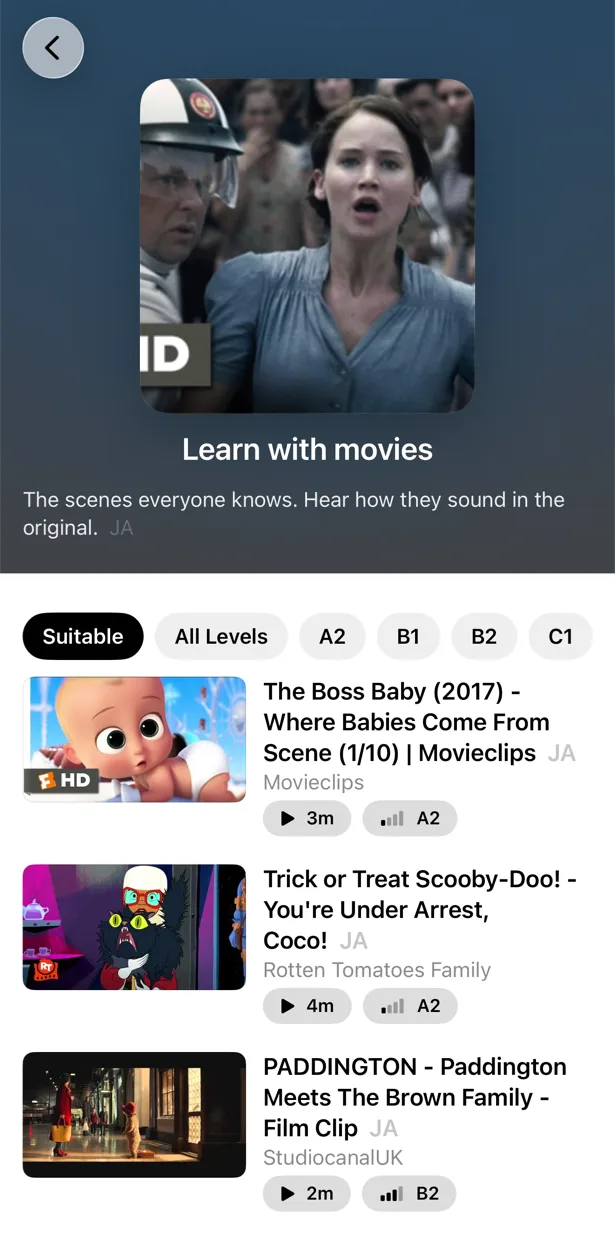
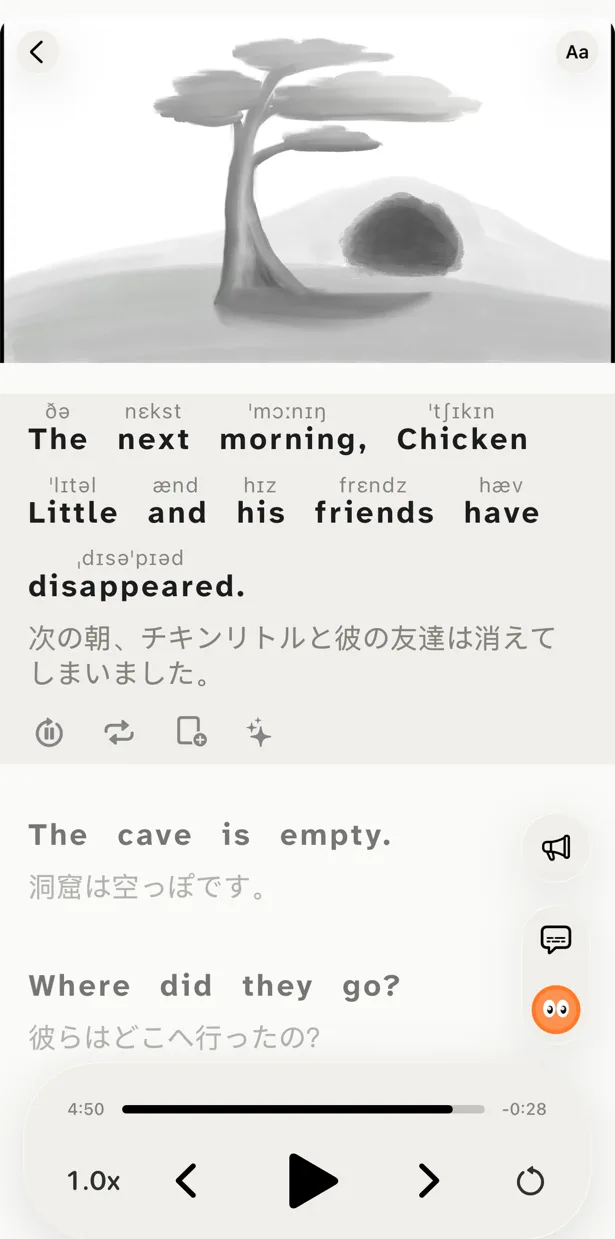
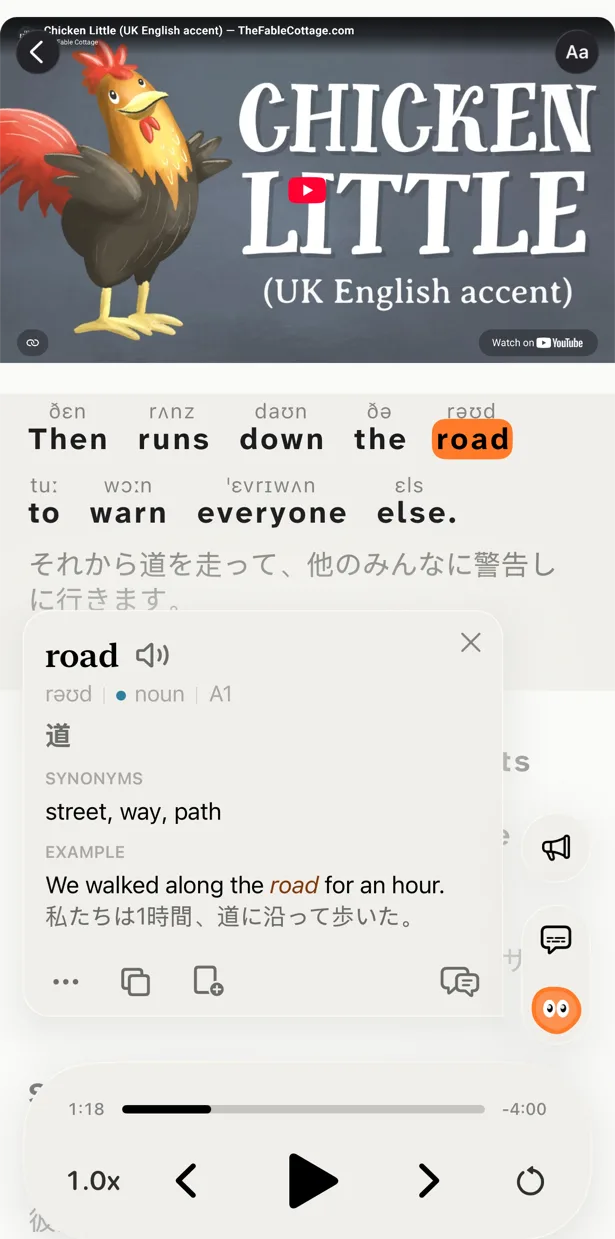
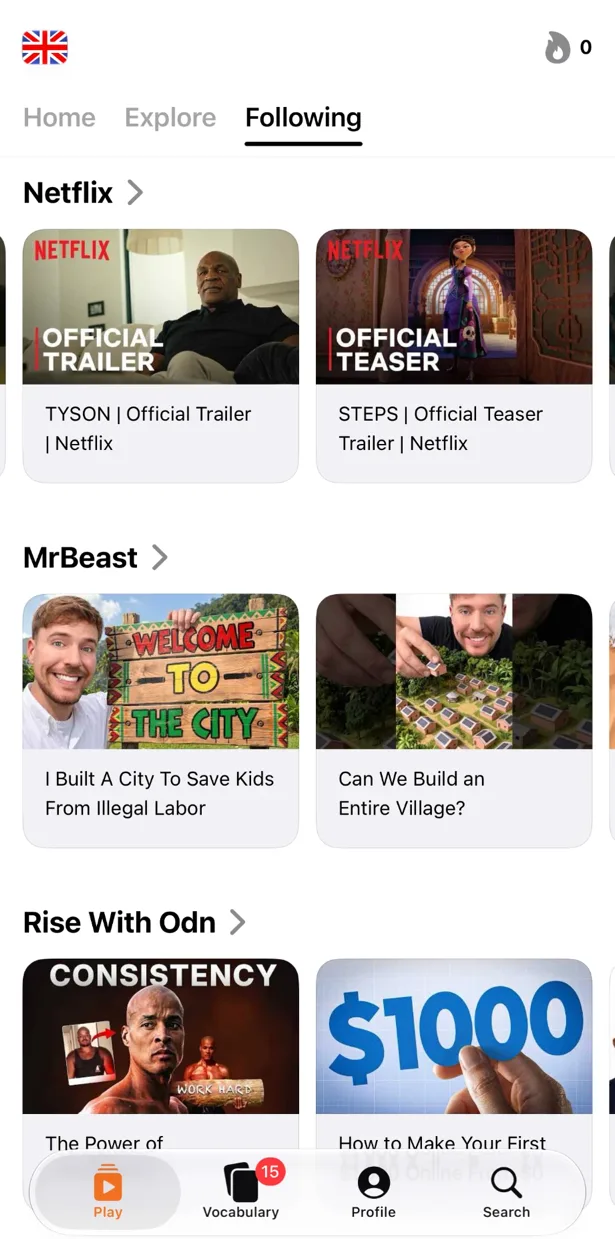
Free to download. iPhone, iPad, Mac and Android.
Migaku is what happens when serious immersion learners build their own tool: a Chrome extension for Netflix and YouTube, a card trainer, dictionaries, known-word tracking, courses. It is powerful and it is a lot. No free plan, 11 languages, and a setup curve that its own fans describe as steep. PlayLingo is the same immersion idea in one app: open a YouTube video, tap what you do not understand, practice, remember — from the first minute, for free.
Why people look for a Migaku alternative
Migaku grew out of Anki add-ons for Japanese learners, and it still feels built for that person: someone who wants to mine sentences, tune card templates and track every known word. Reviews on the App Store, Trustpilot and language forums point at the same trade-offs:
- Setup. A browser extension, a mobile app, dictionary downloads, courses and a card trainer that have to be connected before anything works. “Confusing to set up” is the most common phrase in otherwise positive reviews.
- No free plan. A 10-day trial, then a subscription or a lifetime purchase. Lookups and card creation stop when the trial ends.
- 11 languages. Japanese, Mandarin, Cantonese, Korean, Spanish, French, German, Italian, Portuguese, Vietnamese and English. Learning anything else means another tool.
- Desktop first. Netflix, Disney+ and Viki work only through the Chrome extension on a computer. On the phone, Migaku supports YouTube — the same surface PlayLingo is built around.
- Bugs and support. Trustpilot and App Store reviews from 2025–2026 mention crashes after login, subtitles disappearing and tickets that go unanswered. The Chrome extension sits at 4.3 stars; the iOS app at 4.4.
If you enjoy the tinkering, Migaku is one of the deepest tools on the market. If you want to press play and learn, you probably want something simpler.
Migaku vs PlayLingo, side by side
The short version: Migaku is a toolkit for sentence mining across Netflix, YouTube and the web, priced for committed learners. PlayLingo is one app that turns YouTube into lessons and practice, with a free plan and 67 languages.
What PlayLingo keeps from the Migaku playbook
Migaku’s core belief is right: you learn a language from real content, one sentence at a time, and the sentences you meet should become the cards you review. PlayLingo keeps that whole loop.
Real content, sentence by sentence
Subtitles in PlayLingo are split into full sentences with punctuation, not the raw auto-caption chunks. Each line has its translation under it, and each line can be replayed, slowed down, hidden or rebuilt. The unit of work is the sentence, like in Migaku.
Cards that come from what you watched
Save a word, a phrase or a whole line from the subtitle. It becomes a flashcard with the clip: the frame, the voice and the sentence it came from. Review runs on FSRS, the same family of algorithms modern Anki uses, and the words you saved are highlighted in every future video.
Content matched to your level
Migaku scores each video for known words. PlayLingo sorts its catalog for every language by CEFR level and marks the level of the words you tap, so you can pick a video that is just above where you are — the comprehensible-input sweet spot.
What PlayLingo does differently
One app, zero configuration
There is nothing to connect. Install PlayLingo on iPhone, iPad, Mac or Android, choose the language you learn and your native language, and open a video. Dictionaries, translation, explanations and review are already there. Signing in with Apple or Google syncs your words between devices.
Lingo explains, then goes deeper
Tap a word and Lingo — the AI tutor in the player — tells you what it means in this line, in your native language. Ask a follow-up. Open a deep dive for word forms, grammar, how common the word is, its origin and related words. You get an explanation, not a dictionary entry to interpret.
Practice built into the video
Migaku turns sentences into cards. PlayLingo also turns them into exercises on the spot: Listen mode hides the text and reveals it word by word, Build mode has you assemble the line from tiles, Speak mode checks your pronunciation as you repeat it. Five modes on any YouTube video.
67 languages instead of 11
PlayLingo covers 67 languages, each with its own catalog by level, including the ones Migaku has — Japanese, Korean, Mandarin, Cantonese — and dozens it does not: Arabic, Thai, Turkish, Hindi, Polish, Swedish, Ukrainian and more. Pronunciation above words (furigana, pinyin, romanization, IPA) is a Pro feature for every language.
Who should pick which
Both tools are good. They are not the same shape.
Pick Migaku if you mine sentences from Netflix and Disney+ on a computer, want a comprehension score for every video, like customising your card templates, learn one of its 11 languages and are ready to pay from day one.
Pick PlayLingo if you learn mostly from YouTube, on a phone, tablet or Mac, want explanations and practice inside the player without any setup, learn one of 67 languages, and want to start free.
Some learners keep Migaku for Netflix on the laptop and use PlayLingo on the phone for daily YouTube input and review.
On a computer: the free PlayLingo extension for Chrome
If you watch YouTube on a laptop, the free PlayLingo extension for Chrome shows two subtitle lines over the video: the original and its translation. No account needed. Word explanations, practice modes and saved words live in the app for iPhone, iPad, Mac and Android.
The method behind it
PlayLingo is built on comprehensible input: you acquire a language by understanding real messages slightly above your level, not by memorising rules. Real video is the densest source of that input ever made. The job of the app is to keep the help close enough that you never have to leave the video — and to turn what you watched into practice and memory.
FAQ
Is there a free Migaku alternative?+
PlayLingo is free to download and free to use every day: bilingual subtitles on any YouTube video, a catalog by level, AI explanations and a daily practice portion, with daily limits. Migaku has no free plan after its 10-day trial.
Does PlayLingo work with Netflix like Migaku?+
No. PlayLingo works with YouTube — in the app on iPhone, iPad, Mac and Android, and through a free Chrome extension on a computer. If most of your immersion is Netflix or Disney+ on a laptop, Migaku or Language Reactor is a better fit for that part.
Does PlayLingo have spaced repetition like Migaku?+
Yes. Saved words, phrases and sentences come back as flashcards with the video moment, scheduled by FSRS. Practice includes several exercise formats, and Pro users can export their words to Anki, CSV or PDF.
Is PlayLingo good for Japanese?+
Yes. Japanese has its own catalog sorted by level, translations in context, and Pro adds furigana or rōmaji above words. PlayLingo does not include a kanji course; for the writing system itself you will still want a dedicated resource.
Can I import my Migaku cards into PlayLingo?+
There is no import. PlayLingo builds vocabulary from what you watch inside the app. Keep your Migaku export as a reference; the words you meet again in real video will come back naturally.
More comparisons
PlayLingo is one of several tools built on real content. Here is how it compares to the others people ask about:
Try the Migaku alternative that just plays.
Free to download. iPhone, iPad, Mac and Android.